SHATTERPOINT
MOBA
01 -OVERVIEW
ROLE: UI/UX Designer
PROJECT DURATION: 1,5 Years
FOCUS AREA: UX design, Game systems, UI Kit and Design System.
STUDIO: BlockGames
PLATFORMS: Mobile
GAME ENGINE: UNITY
GENRE: Fantasy MOBA
RELEASE DATE: —
GAME STATUS: Canceled
02 – PROJECT
The Game
Shatterpoint is a mobile MOBA game focused on different arenas and competition between several players. The game is focused on skillful combat tactics, resource collection, and equipment/collectable item crafting.
STORY
The story of this game is a bit of a sad one – firstly, commissioned by the private owner, game changes several owners and studios. Eventually, as a single project file, it reached BlockGames. The company saw potential in the game and assembled a team of professional gamedevs to bring this game to life and into the hands of the players.
My role
I joined BlockGames studio in the middle of the redesign of this game, taking over all UI/UX design work and setting the direction for the overall UI technical implementation. As a senior-level designer for this project, I recreated the asset library, project documentation, and reworked a larger part of UI/UX design for this game.
My primary task was to create new interfaces for the game; however, it turned out to be the journey I always remember with fondness.
FOCUS : Design System, UI design, UX design
03 – DESIGN CHALLENGE
As with every game, Shatteroint presented itself with a set of technical and design challenges that impacted the process of game development. Some of the challenges persisted throughout the whole development process. Below are several of them that proved to be worthy of the name „Challenge”
Technical Limitations
One thing was very clear with this game: technical limitations presented and hard-coded into the game will pose a major challenge to establish any long lasting UI systems in place,
Missing Data
During the process of changing several owners, the game lost a significant portion of game design and UI data, or it was never there to begin with. This meant that the only source of truth became a single Unity Project file.
Limited Resources
Limited Resources of time and developers meant that what the design could achieve was also limited. This greatly contributed to the „Bones come First” mindset and way of thinking about the design.
Leftovers
When games change owners and studios, there will always be leftover things that are left but not used. This is the grey zone of design, where the decision to remove something can highly impact the overall game experience is.
04- DESIGN PHILOSOPHY
This design aimed to balance UI/UX design repairs needed for the game to work with technical limitations of the game code. The restoration and recreation of the UI Kit and previous library meant that half of the time dedicated to the development would be allocated to that purpose. The full scale of disarray of this project was only evident after the careful inspection and audit.
The two main courses of design work emerged after the audit of the project, and that required changes in how designs were created. Below are the four key pillars of design I used for creating new and restoring and elevating old pieces of design,
Restoration and Preservation
Preserve parts of the UI/UX that are suitable for future use. Restore what is missing in a way that matches what exists.
Consistency and Unification
Create familiar patterns and shapes, and unify existing pieces to fit the overall direction of the game.
Technical Limits
All design for the game must adhere to the existing technical limitations; otherwise, it is useless
Bones Comes First
Ensure core game mechanics and interfaces work as they are supposed to. Establish long-lasting systems first. Beauty and enchantment can come later.
05 – DESIGN PROCCESS
Due to limited resources, technical limitations, and team capacity, the game development and all UI/UX implementation have been planned and executed in stages, prioritizing features most relevant to the project vision and business demands. The approach of a Continued Iterative Process helped manage time spent on each feature and allowed several parts of the game to be worked on simultaneously.
Core Steps of the process
Understanding
Game design, technical limitations, player profiles, and the overall vision of the game dictate what can and can not be designed for the feature,
Ideation
Player user flows, wireframes and early feature prototypes are created to adhere to the feature requirements as much as humanly possible.
Design
After ideation is confirmed, the application of UI design takes place. The design system is reviewed for additional designs, and documentation for the feature is created. After reviews and iterations, final designs are confirmed and preparations for implementation takes place.
Implementation
All feature implementation information is passed to the developers. Developer support is provided in this step if needed.
Testing and Launch
Excessive feature testing with QA and internal playtests takes place. Bugs, inaccuracies, and other obstacles are removed before launching a feature.
Design Tools
FIGMA, PHOTOSHOP, ADOBE AFTER EFFECTS, NOTION, UNITY, MIRO
06 – MY CONTRIBUTIONS
During my time on this project, I had the pleasure and challenge of working on almost all parts of this game. Below is a list of selected features for the pleasure of exploration.
Game features
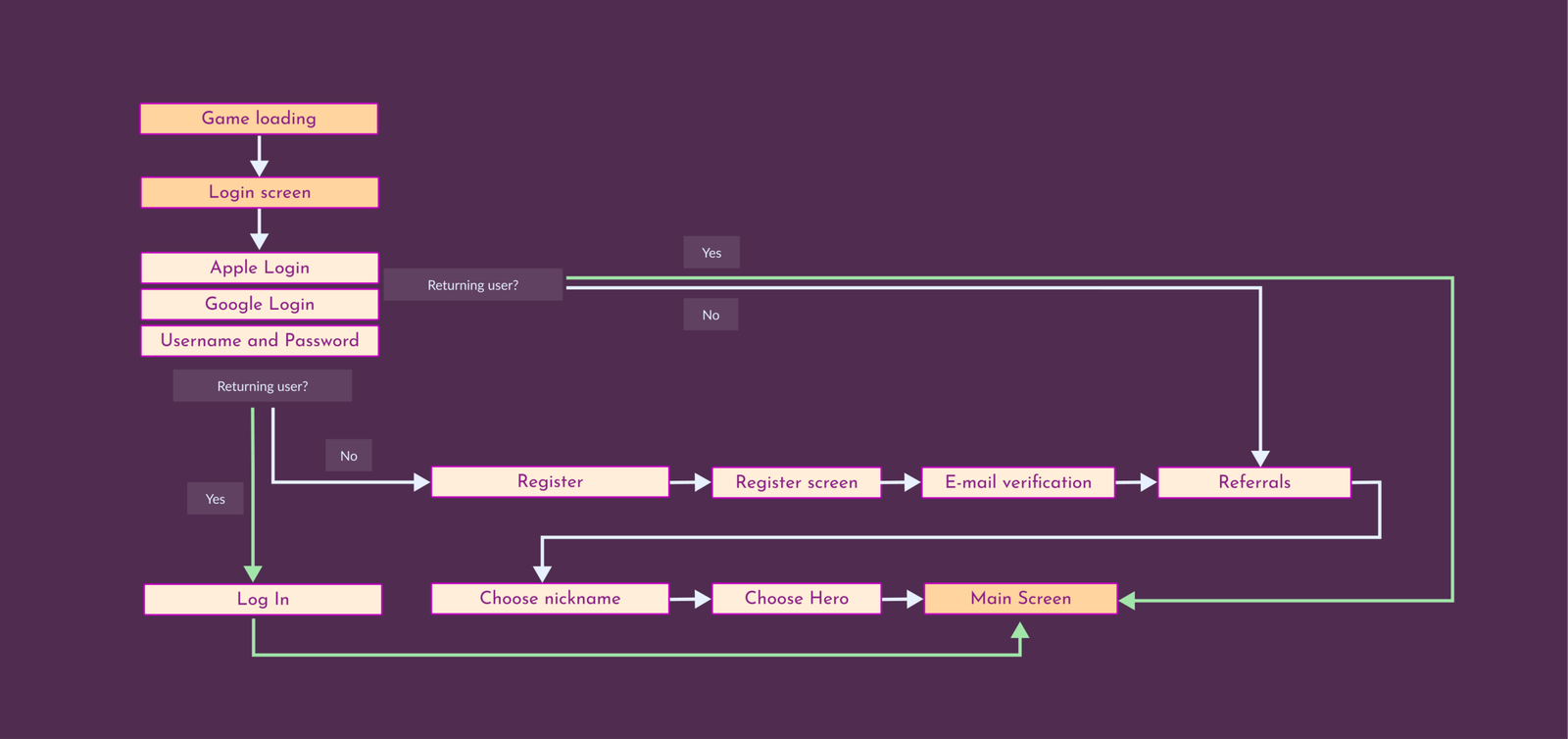
Login Flow
OVERVIEW
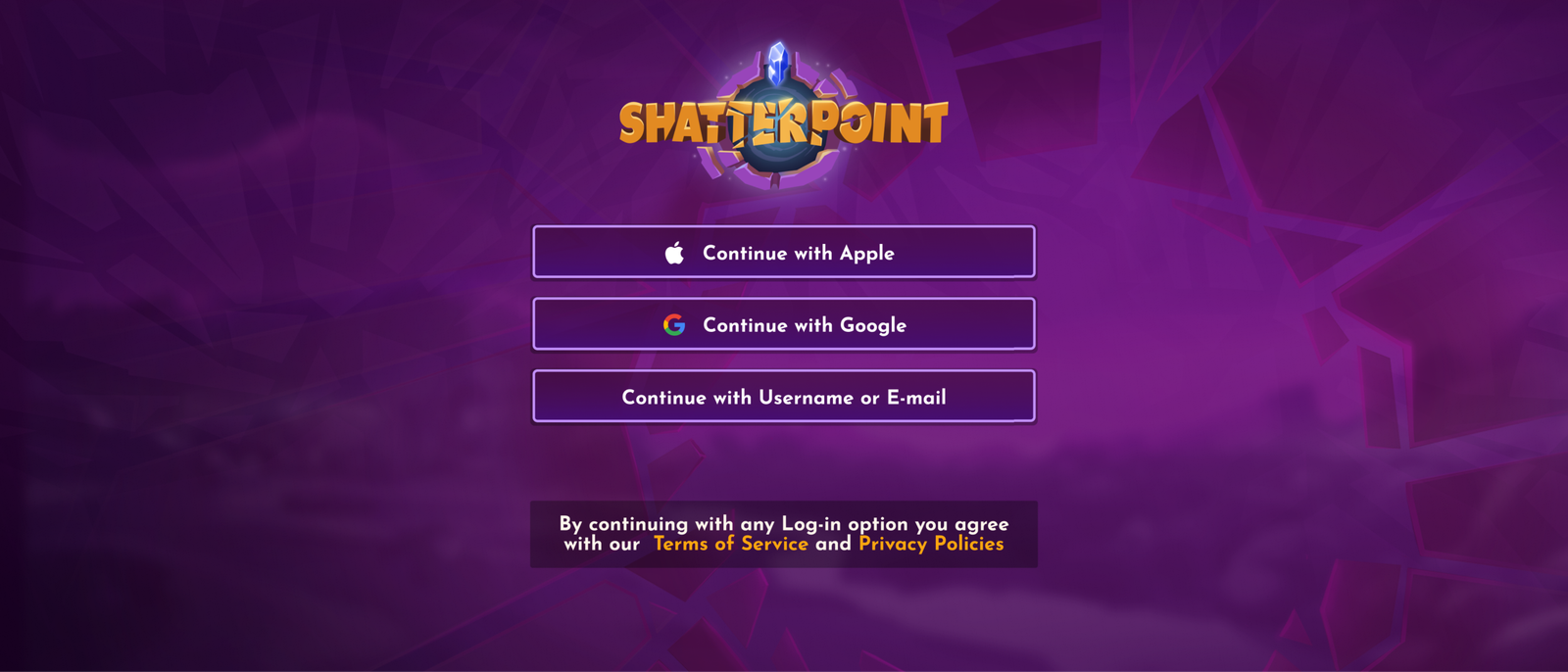
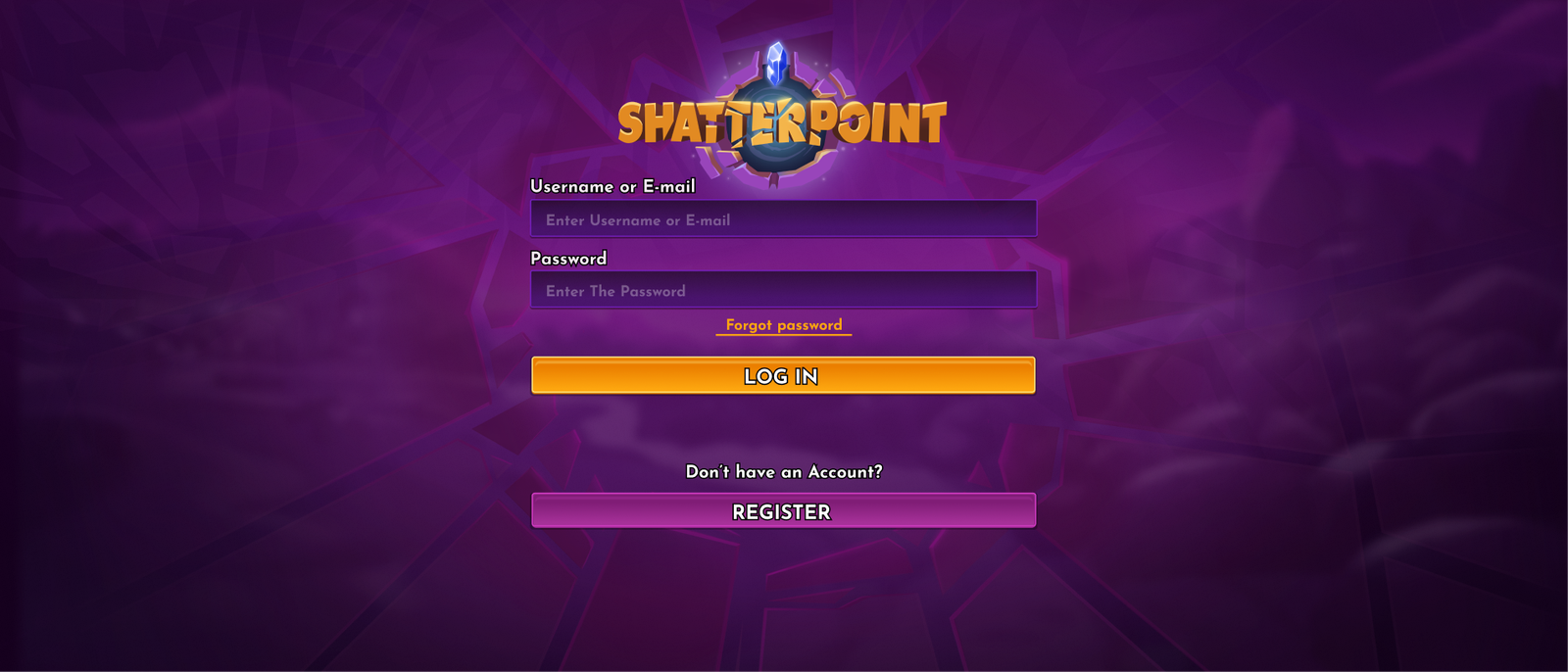
The Shatterpoint login flow provides players with a fast, simple, and secure way to access their game account and save their progress across devices.
THE PROBLEM
Many possible ways to log in to the game create clutter and obscurity.
THE GOAL
Create a login flow that provides clarity to players, is accessible, and allows players agency over the ways to create an account
Login Flow Windows
Main Login
E-mail Login
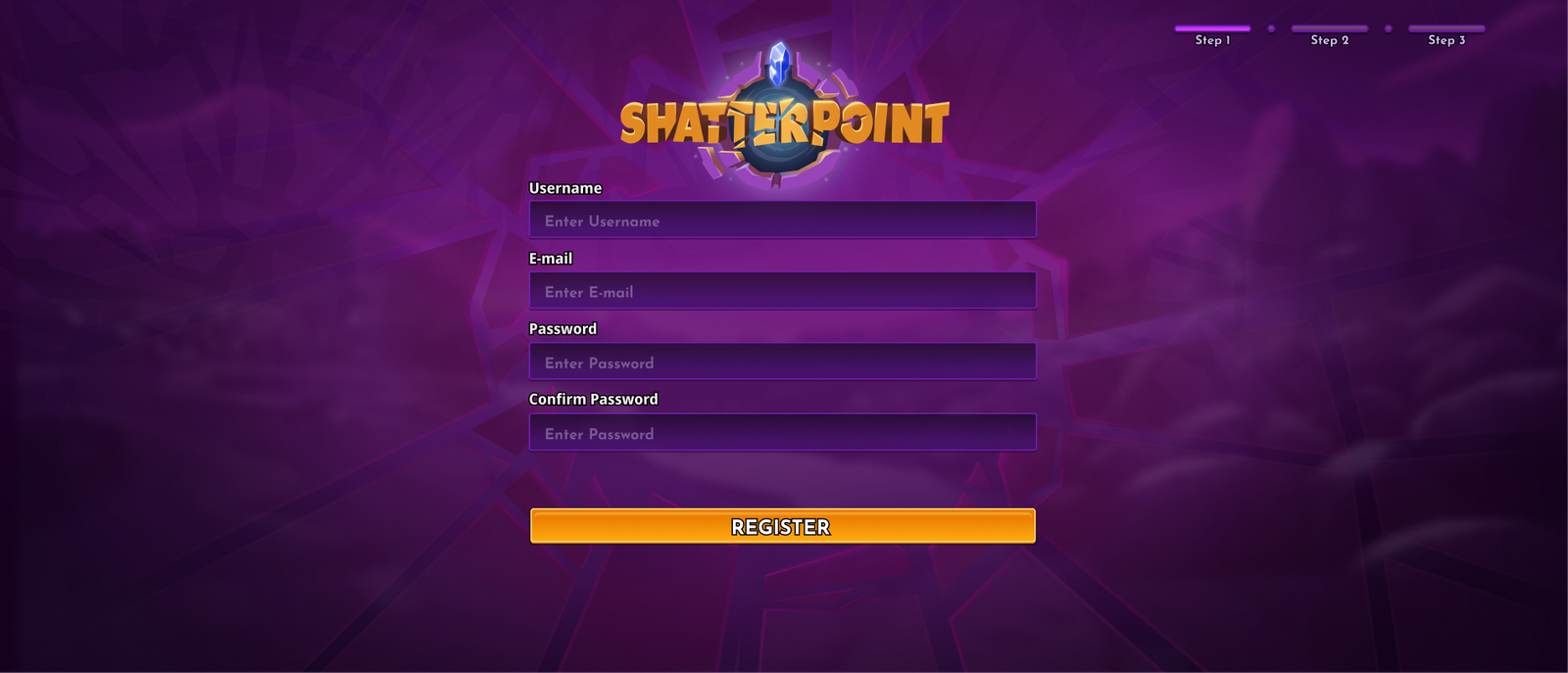
Player Registration
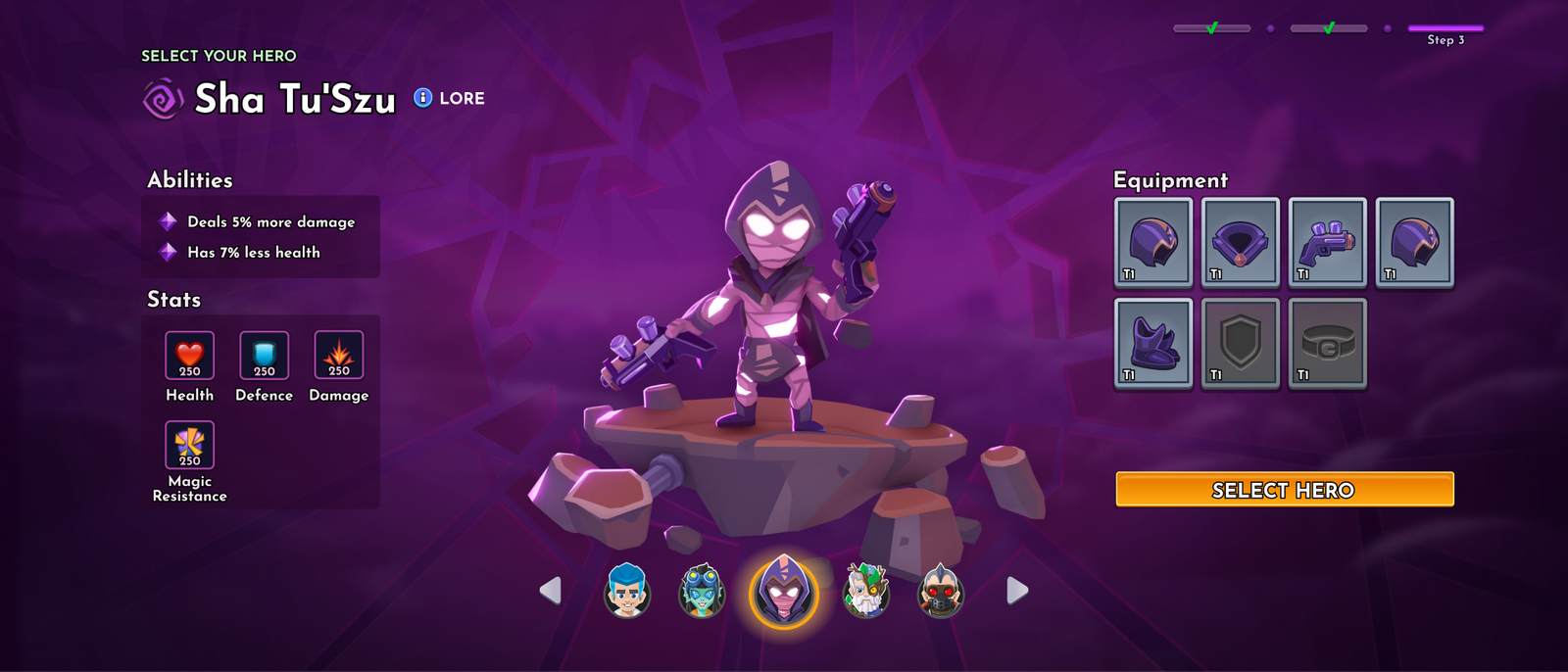
Login Character Selection

Main Game Menu
OVERVIEW
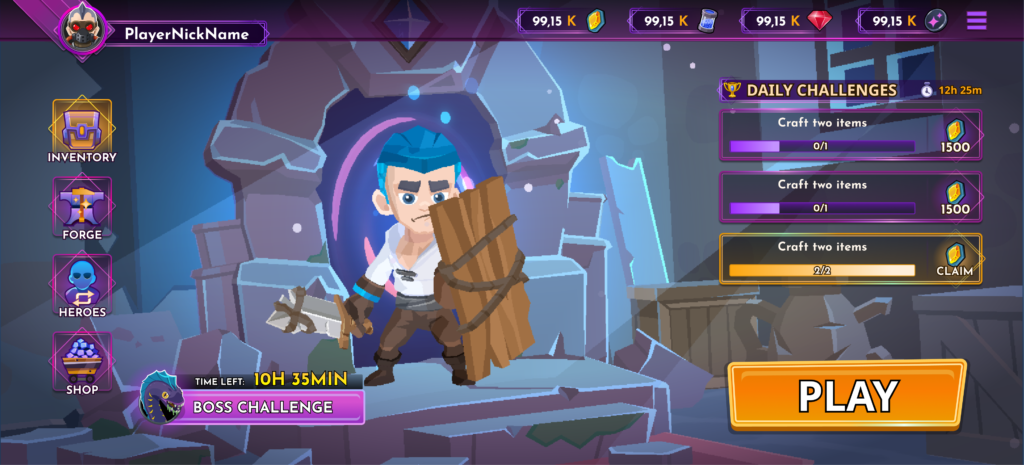
As in all games, so is in Shatter point, the main menu serves as a hub and access to all the main functions of the game.
THE GOAL
Provide a structured, clear, and easily navigable hub for all major game functions and features.
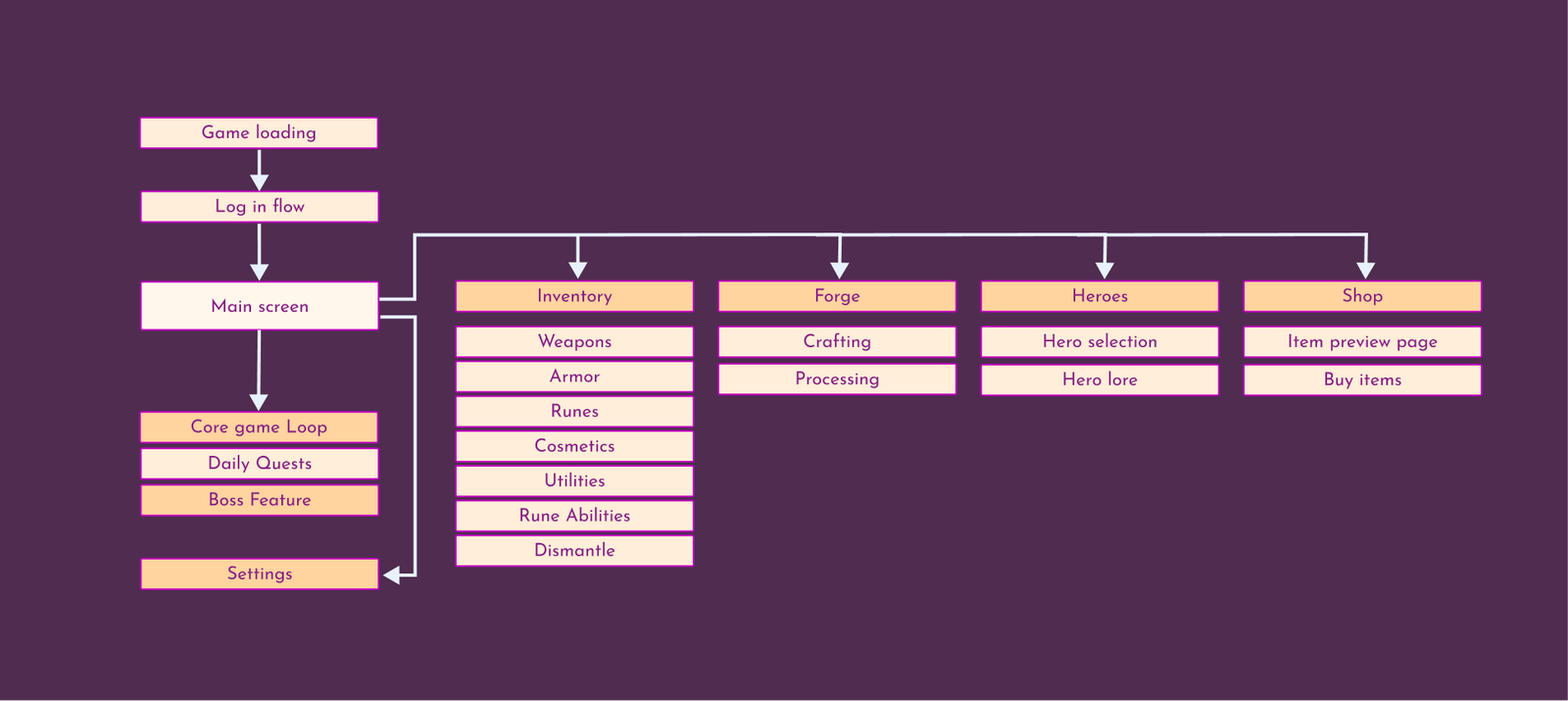
Designs
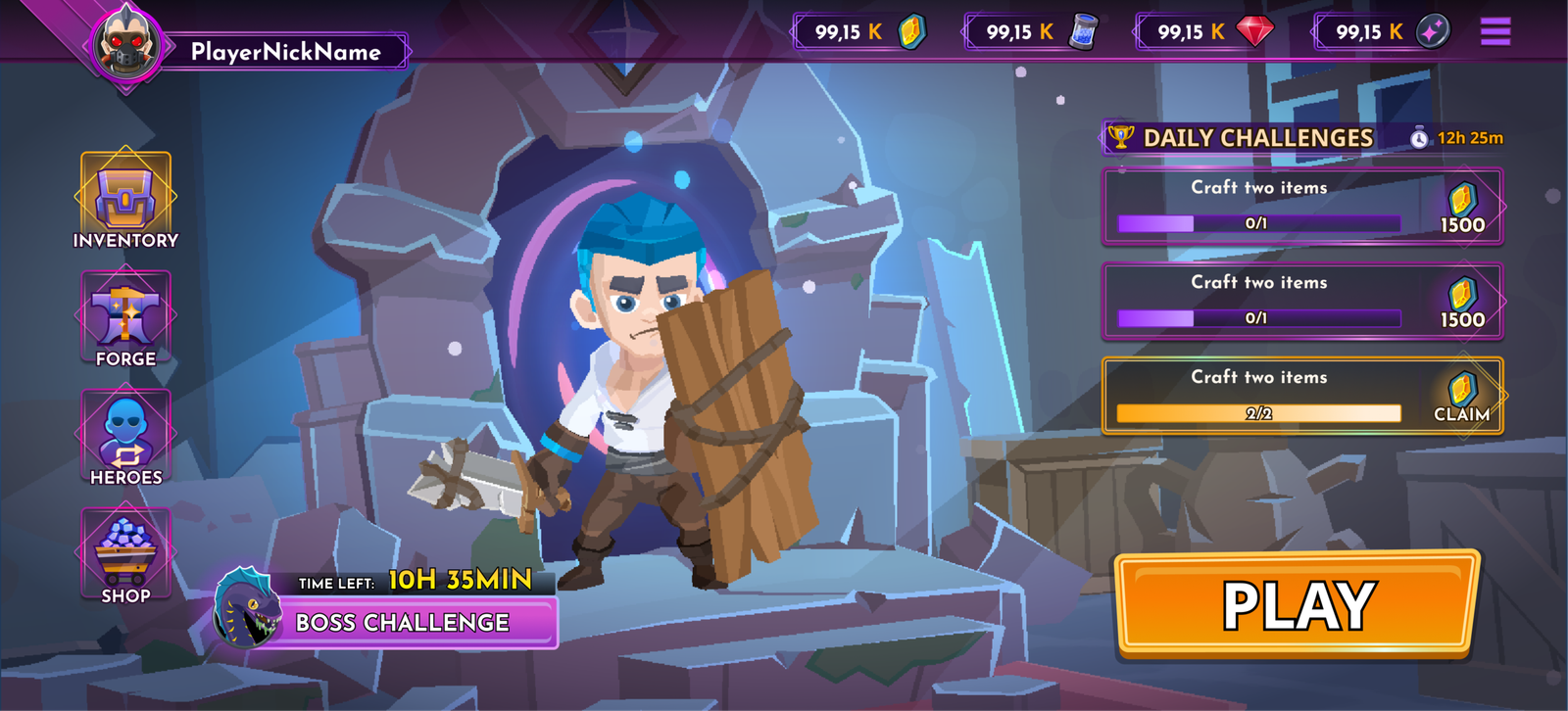
Main Game Screen
Inventory
OVERVIEW
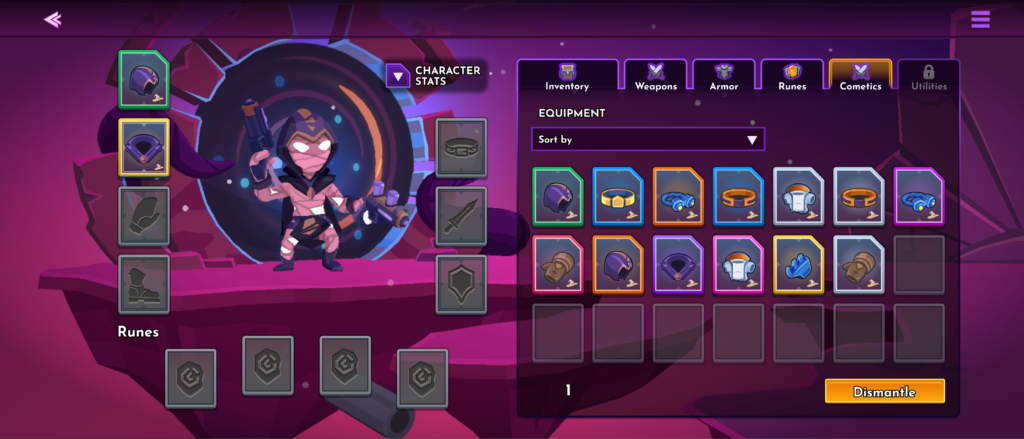
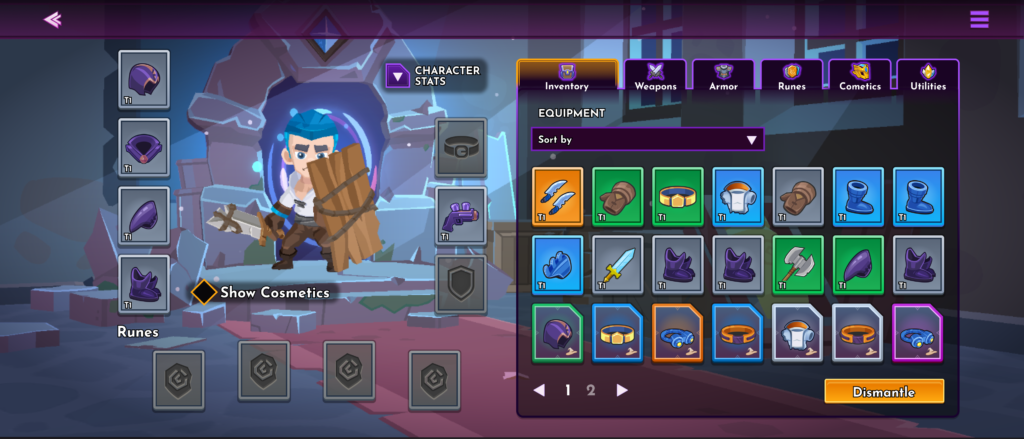
The inventory system allows players to view, organize, manage, and access the items they own or have purchased throughout the game. It also provides a place where items can be equipped on the character when ready for combat.
THE PROBLEM
Difficulties managing, tracking, and equipping different in-game items.
THE GOAL
Give players a way to manage, equip, and upgrade in-game items.
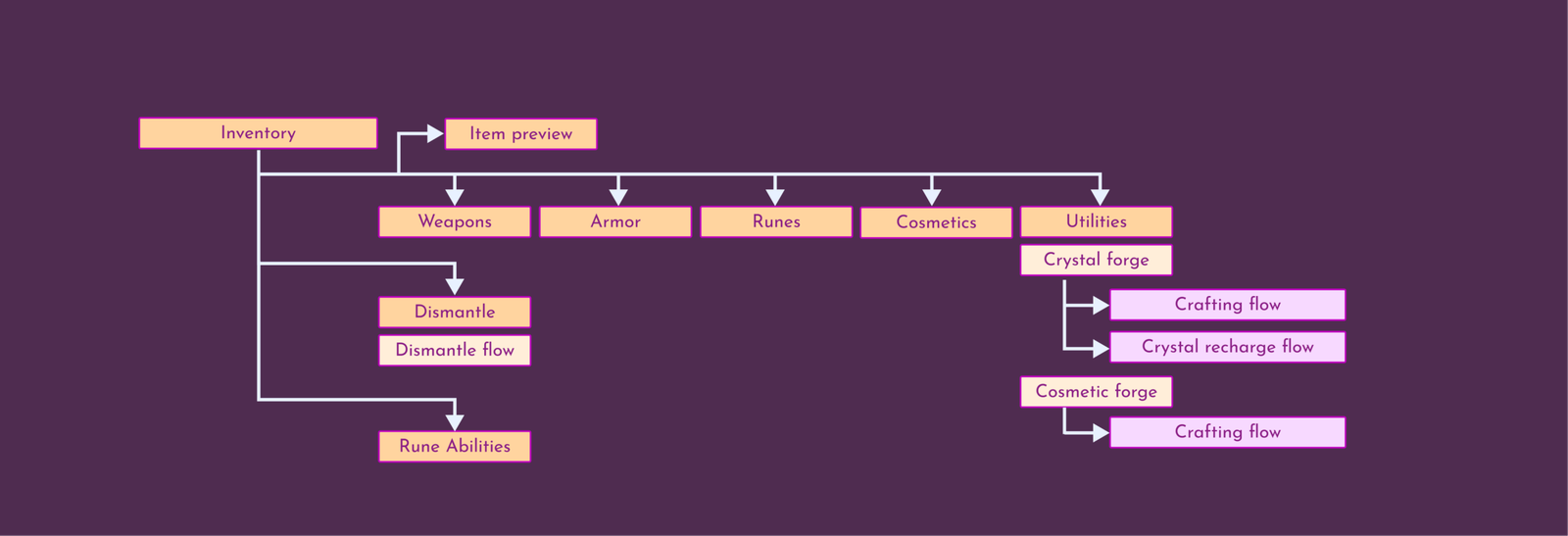
Inventory Designs
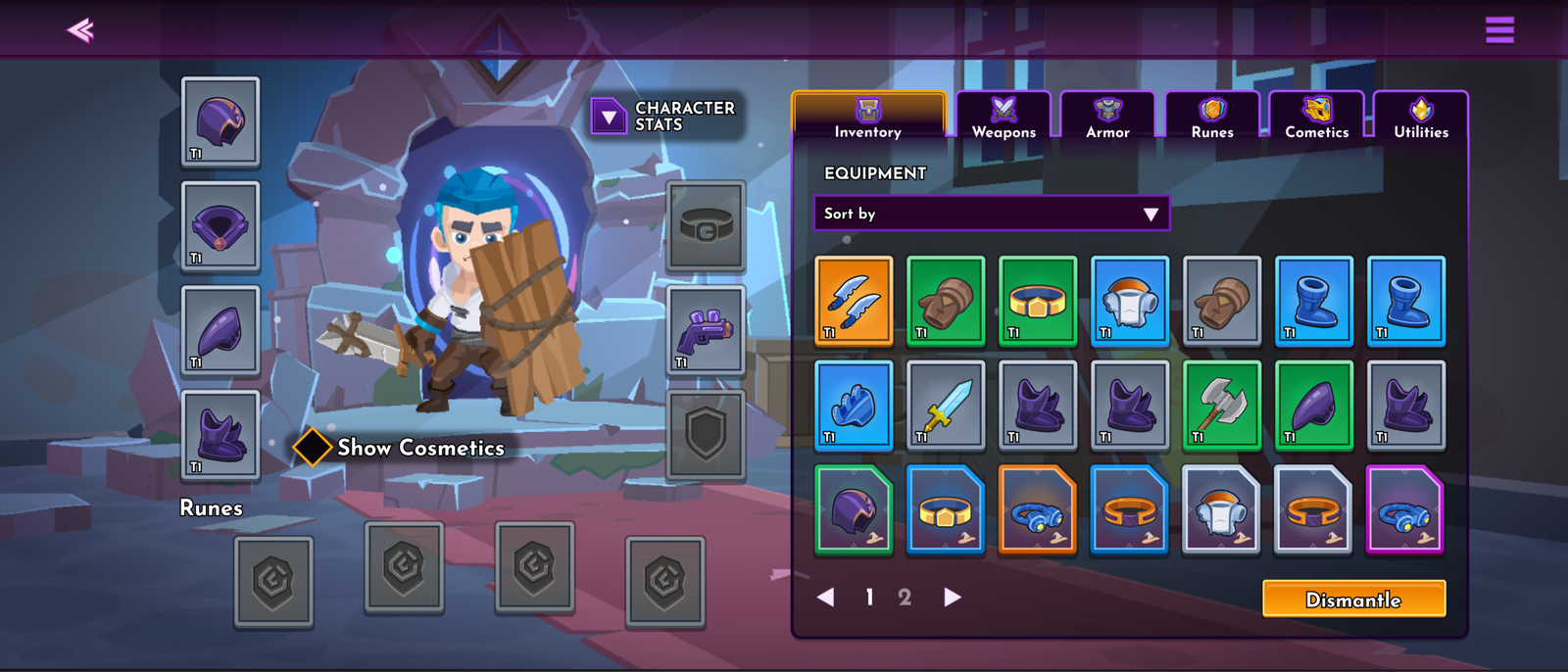
Main Inventory
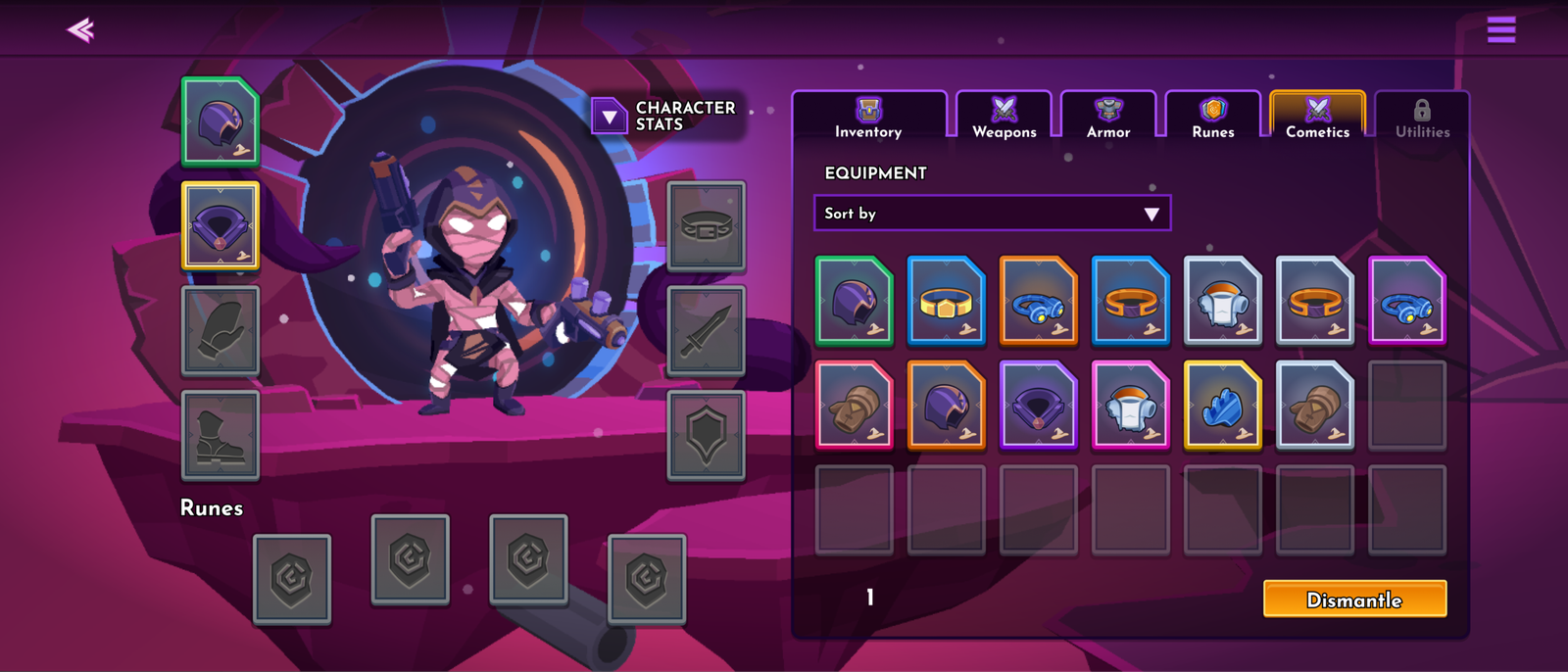
Cosmetics Tab and Cosmetics Equipment Slots
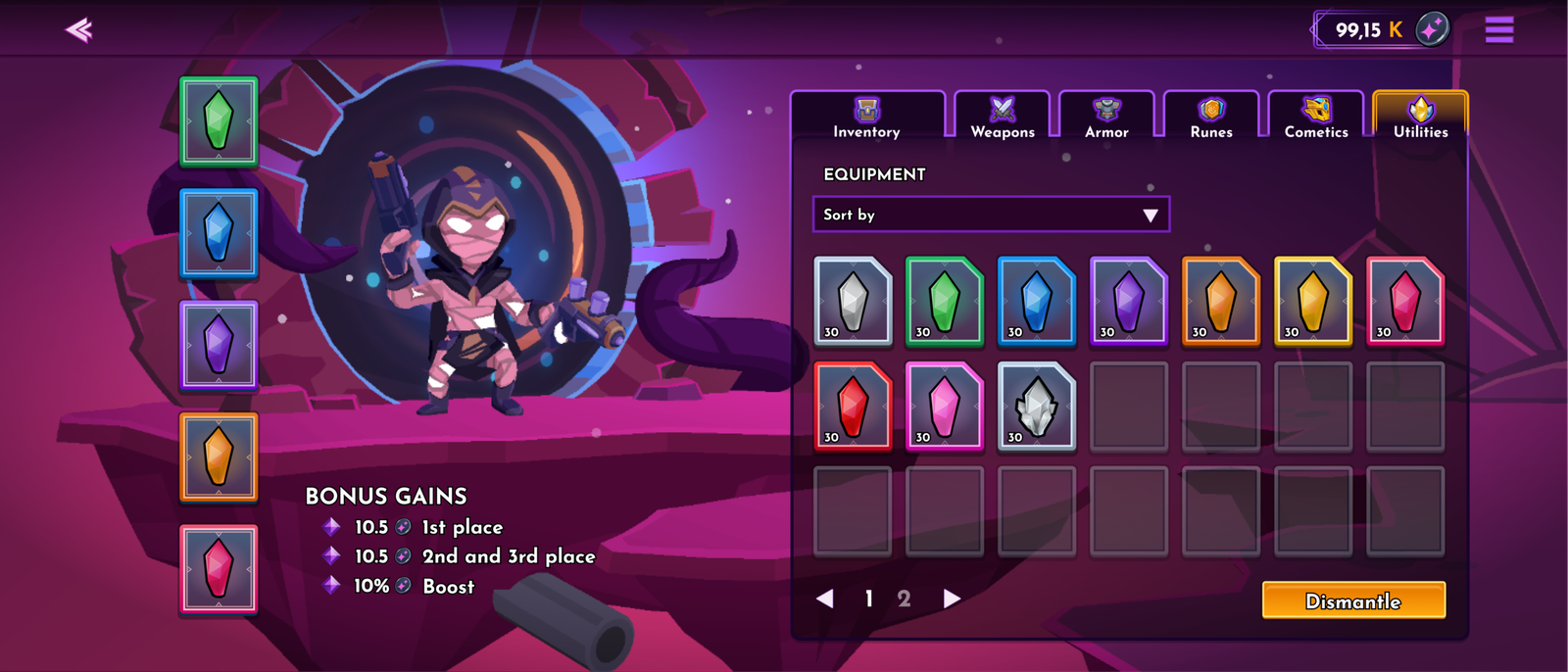
Crystal Tab and Crystal Equipment Slots
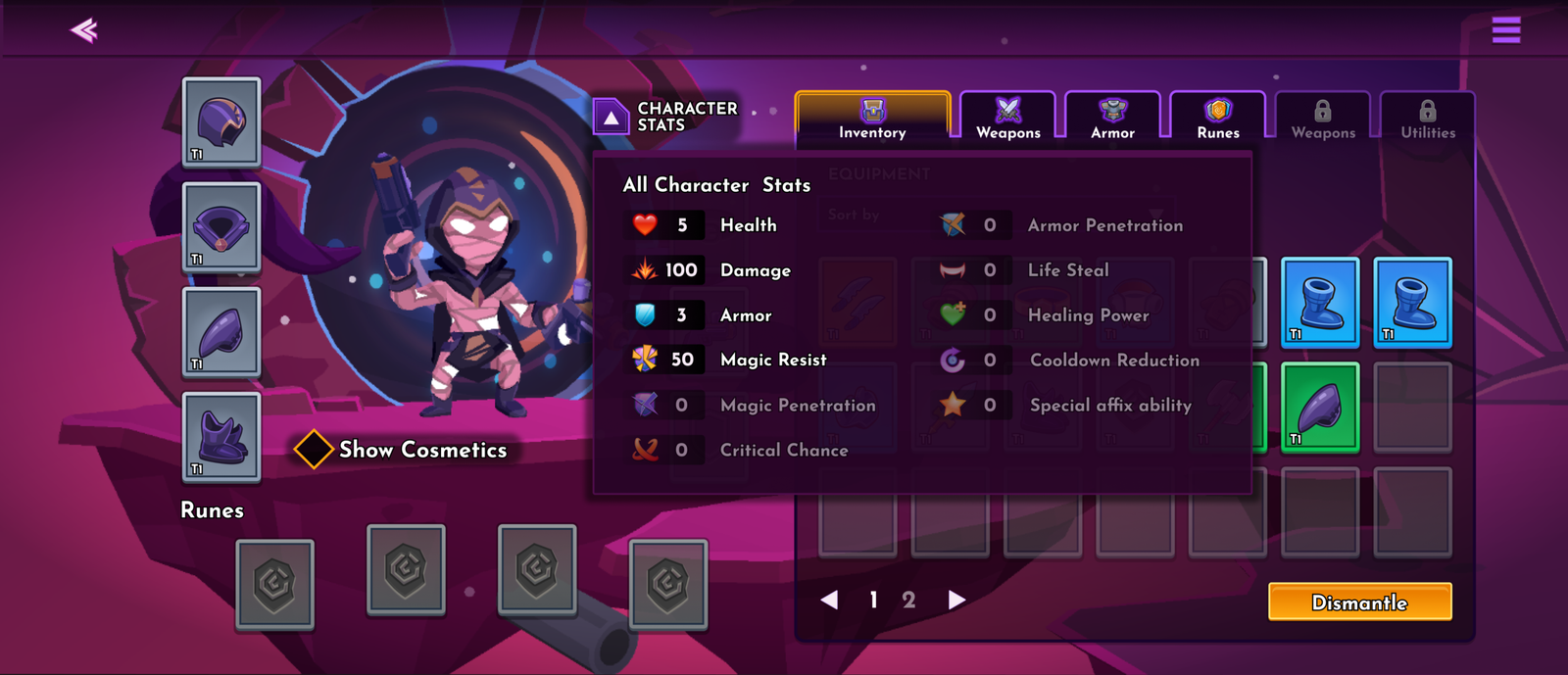
Character Stats Pop-up
Crystal Crafting and Recharge
OVERVIEW
Crystals are craftable resources that, when equipped gives players small boosts of power or allows to collect materials from battles quickly.
THE PROBLEM
Lack of dedicated space that allows players to craft or recharge resources needed for battles
THE GOAL
Allow players to quickly access the feature and give small boosts to gameplay.
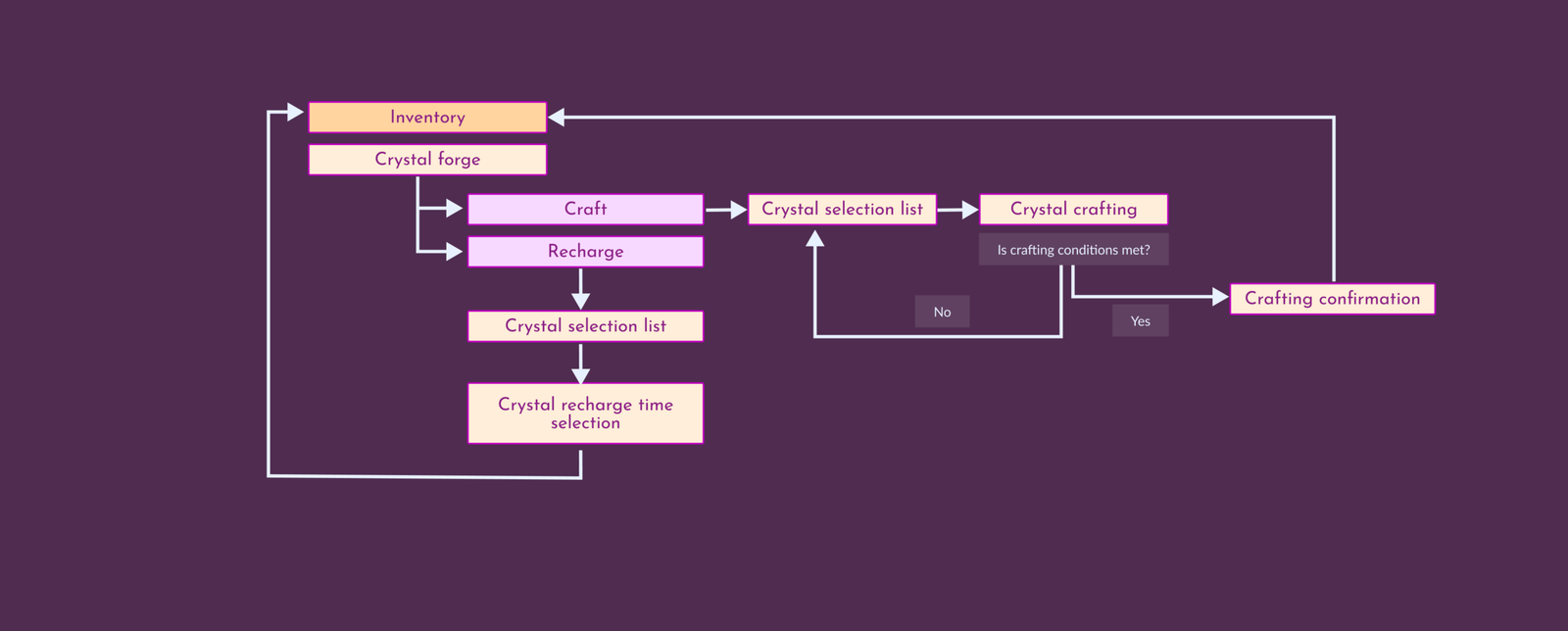
Designs
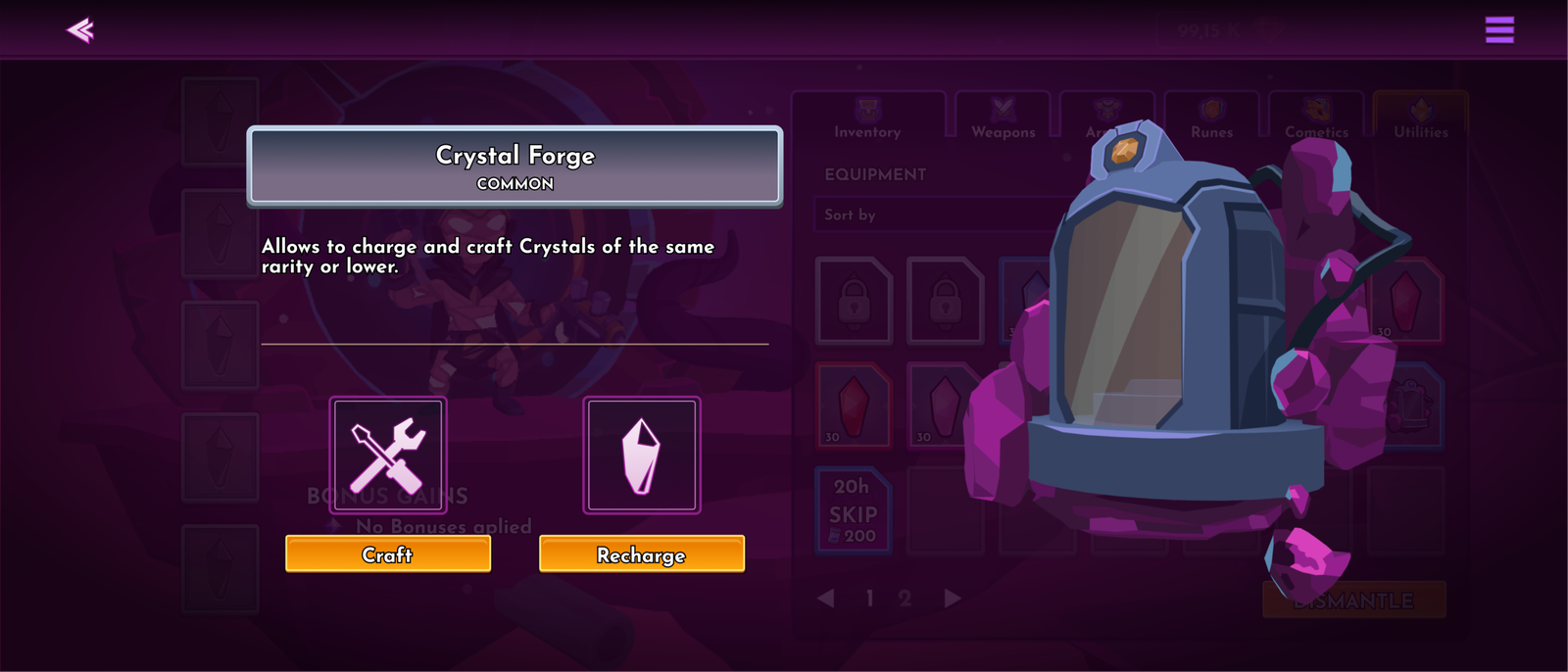
Forge
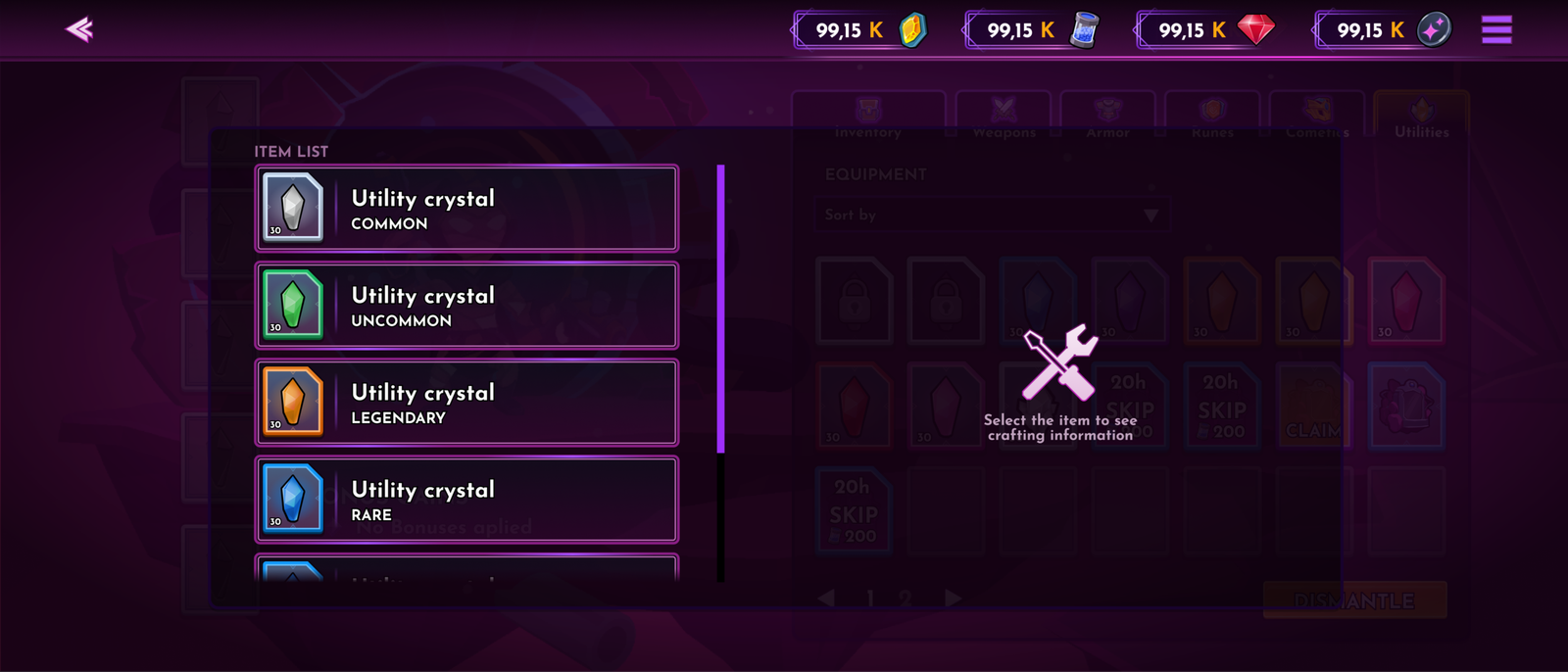
Crystal crafting List
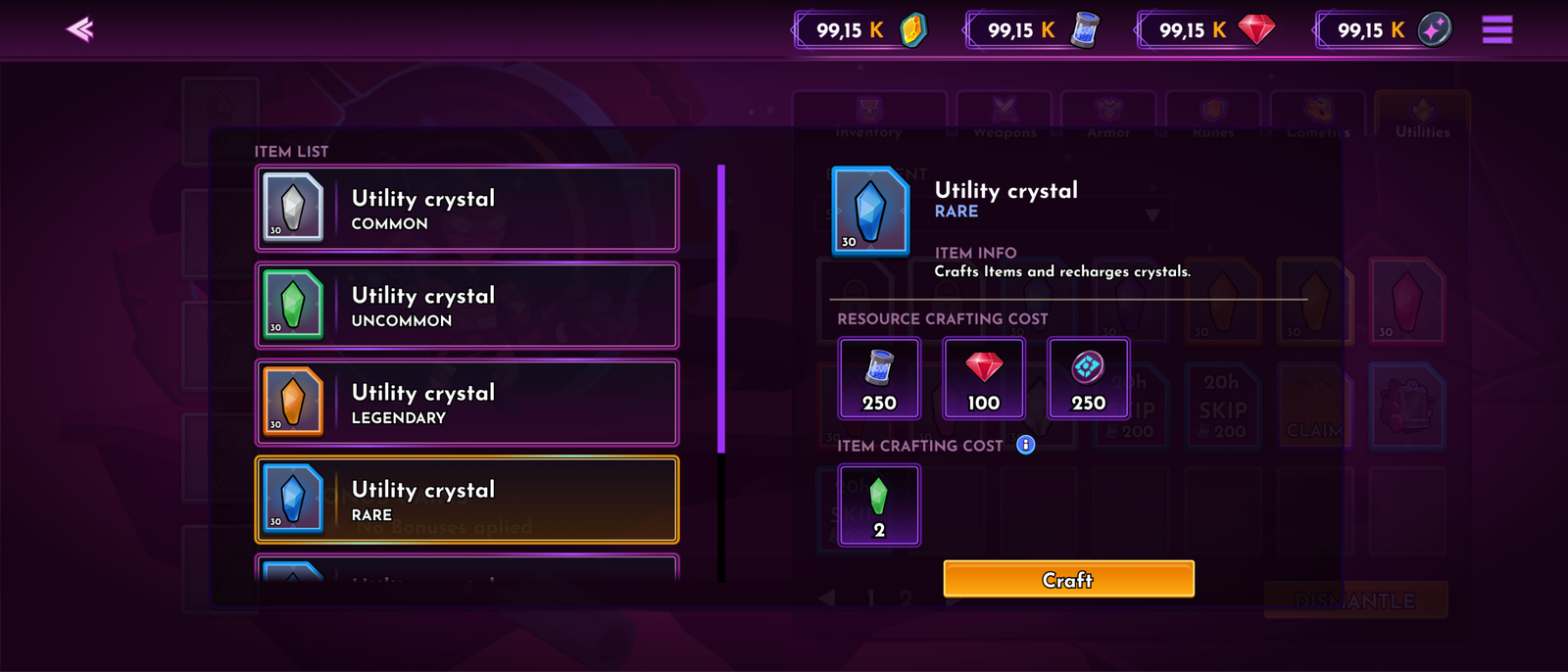
Crystal Crafting Costs
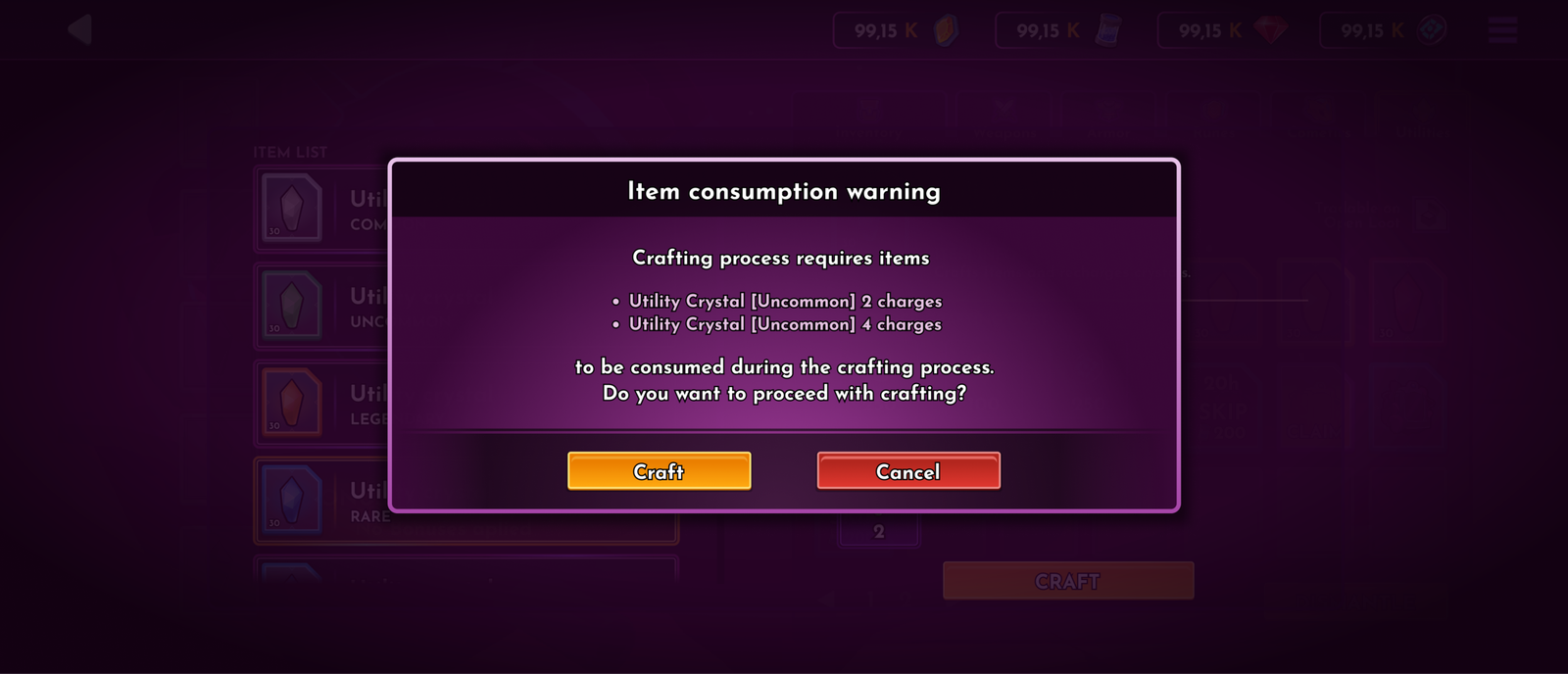
Crafting Confirmation Window
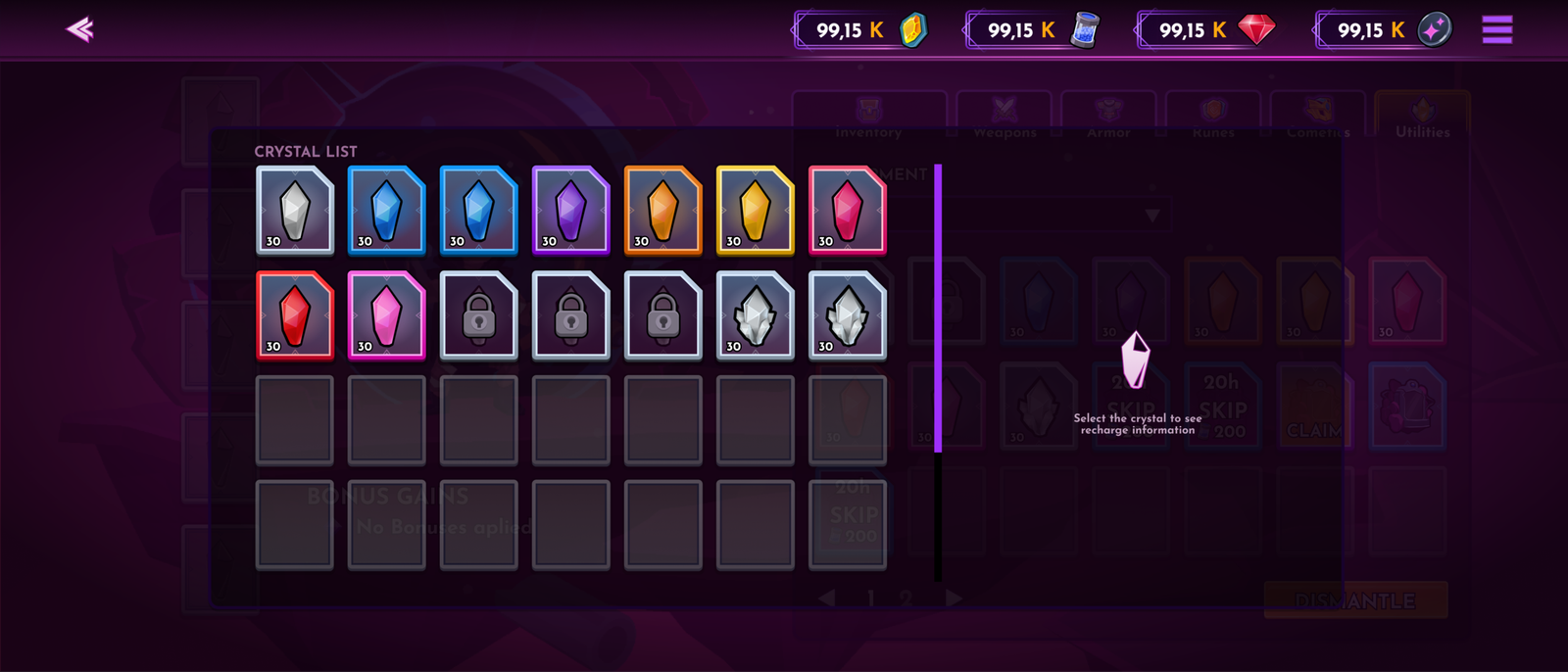
Crystal Selection For Recharge
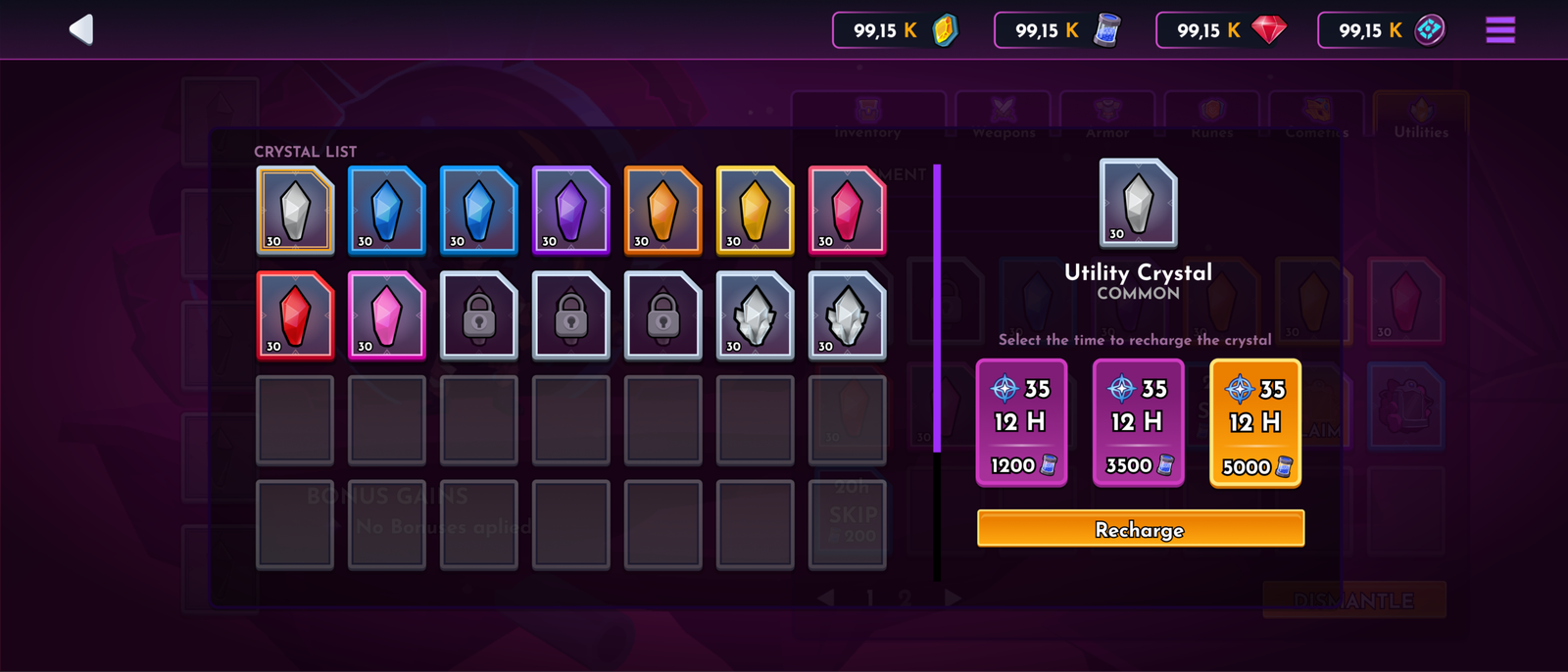
Crystal Recharge Costs
Item preview and Dismantle
OVERVIEW
Item preview and dismantling provide several crucial functions to the game, such as detailed information on each item and the ability to salvage them.
THE PROBLEM
Inventory management problems when it’s overflowing with items and detailed item inspections.
THE GOAL
Give players a clear and easy way to manage items in the inventory, with an option to gain more information about each item.
Designs
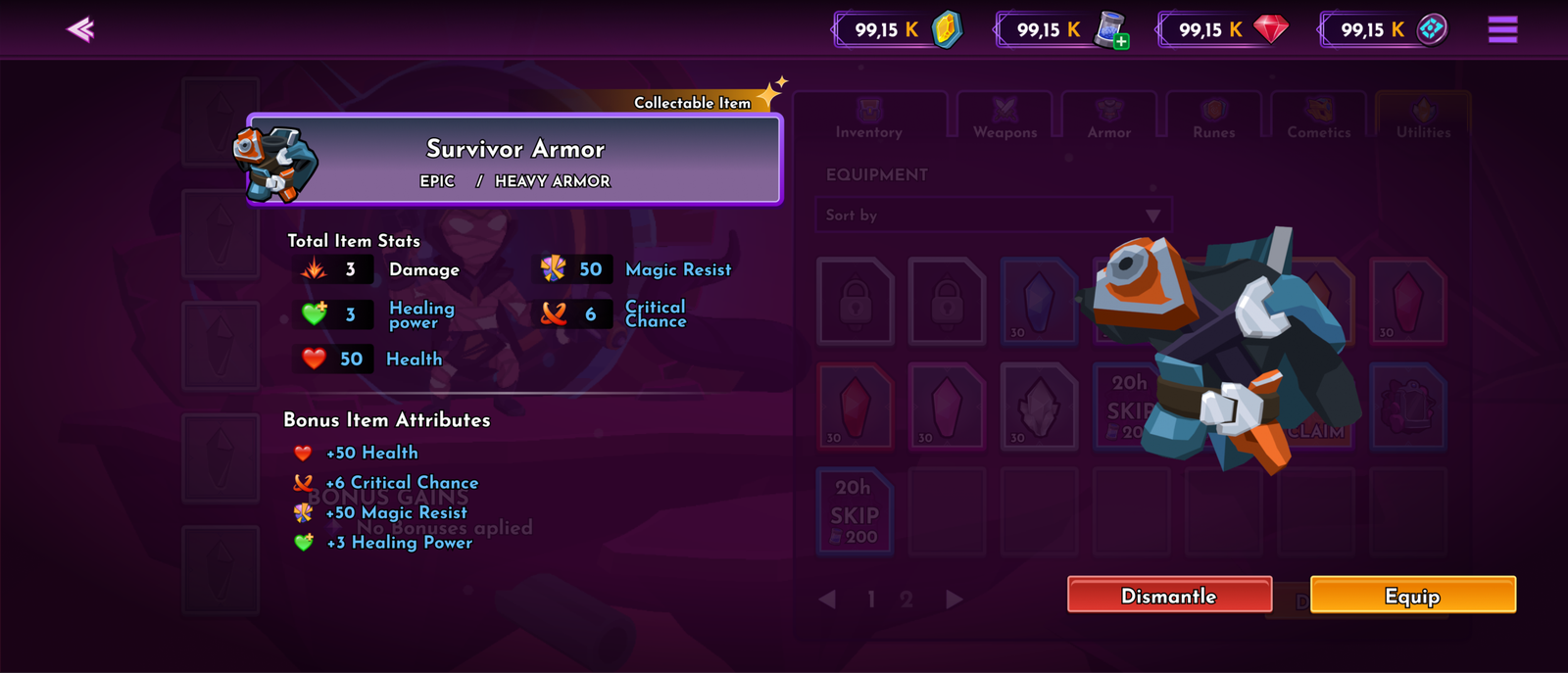
Item Preview Screen
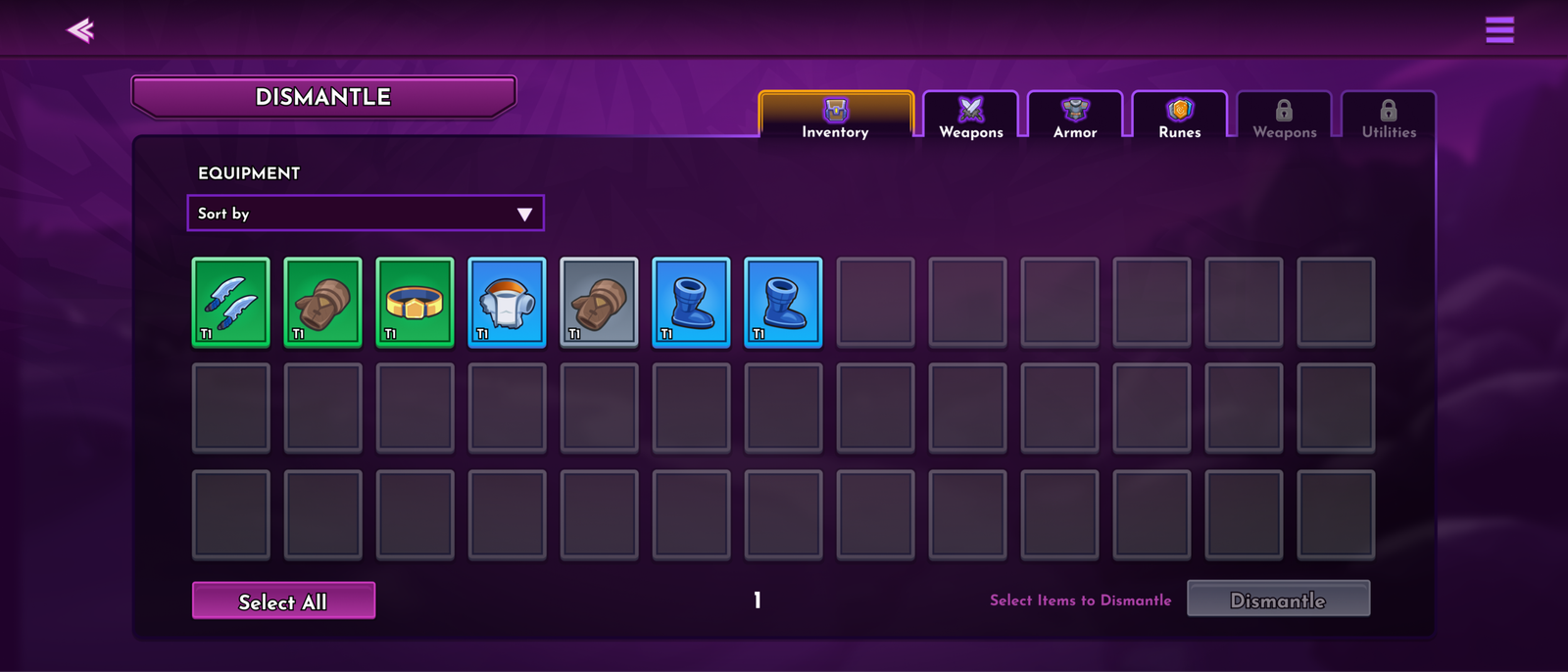
Dismantle Screen
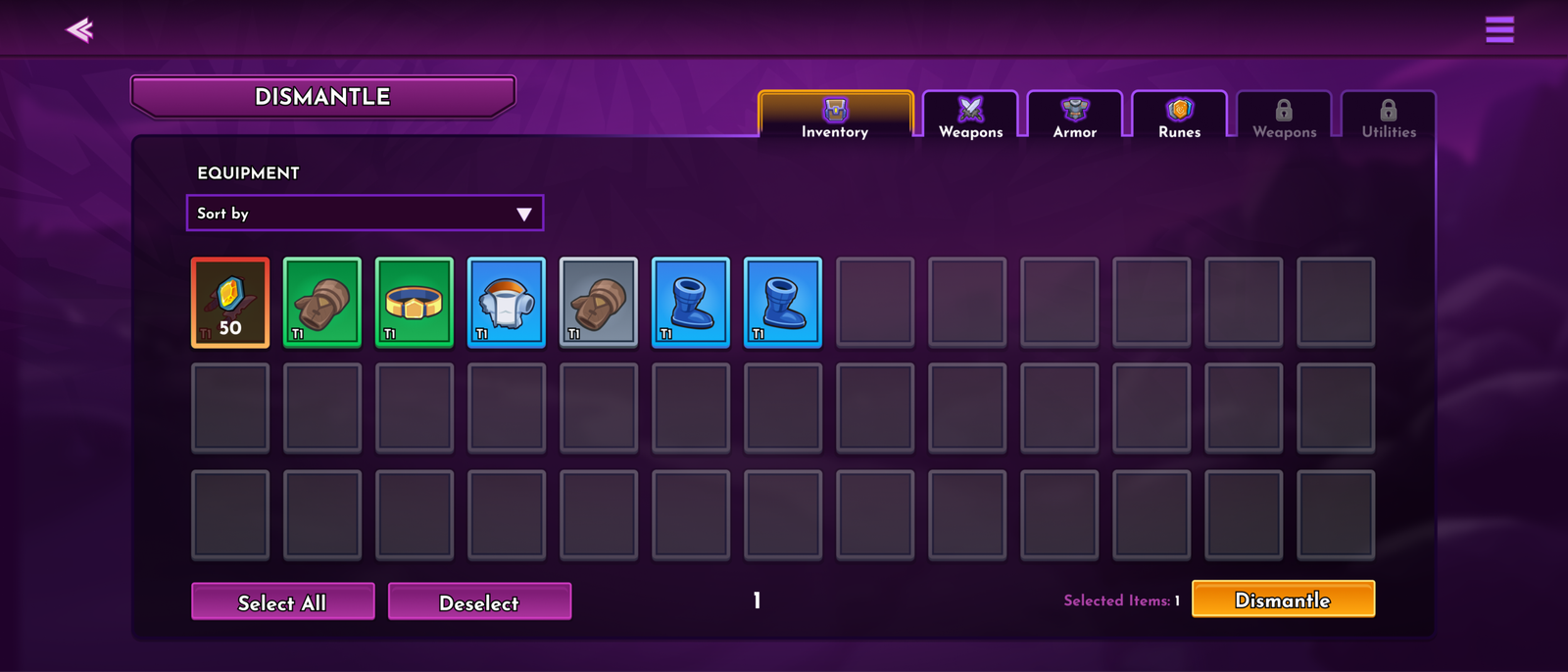
Selected Items
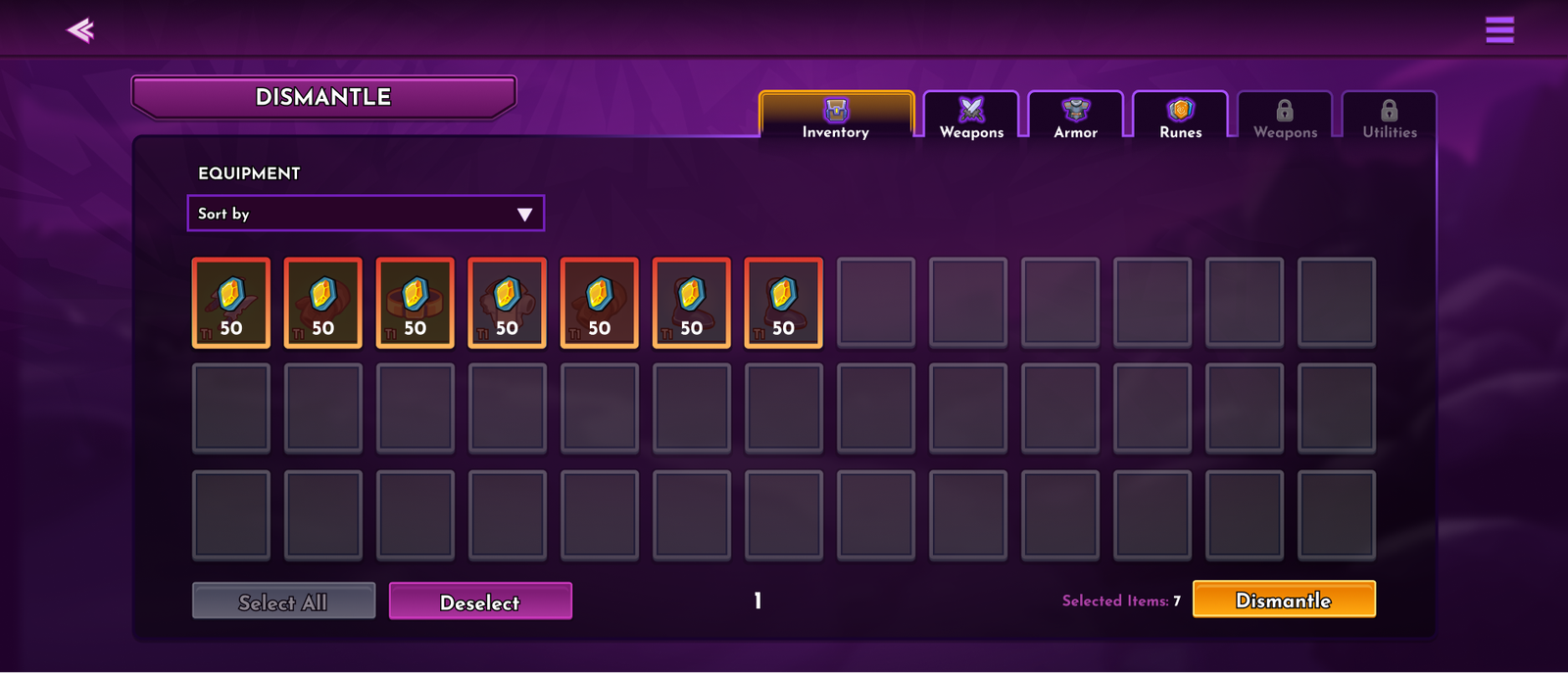
Multi-selection Of Items
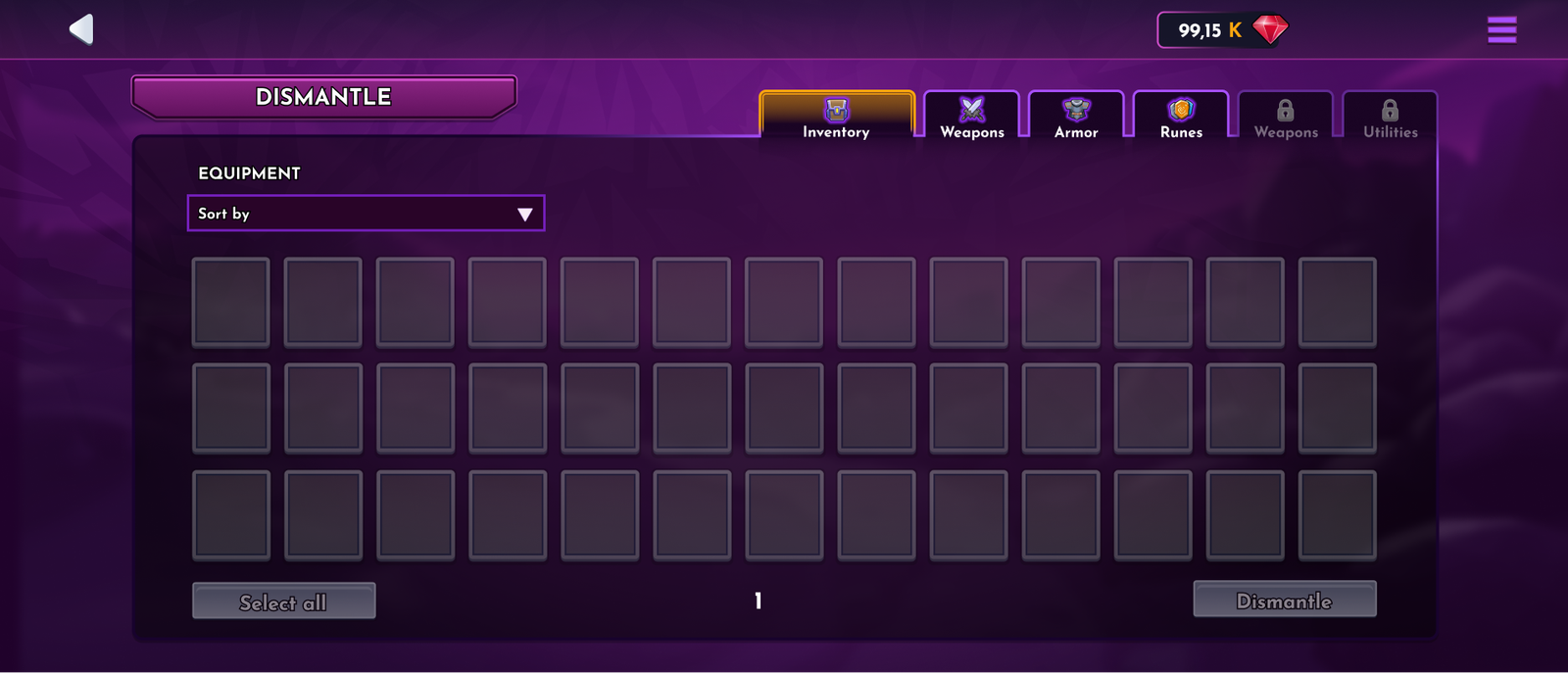
Empty state
Item Forge
OVERVIEW
Forge is the feature of the game that allows players to craft various in-game items. These Items can be equipped in the inventory and give significant stat and ability boosts to the player’s character during gameplay. Two types of items are available for crafting: Common and Collectable. Collectable items can be sold or traded outside the game environments.
THE PROBLEM
Introduce item variety in the game; create conditions for a secondary item market.
THE GOAL
Give players agency inside the game and a way to use gathered resources to enchant their gaming experience.
Designs
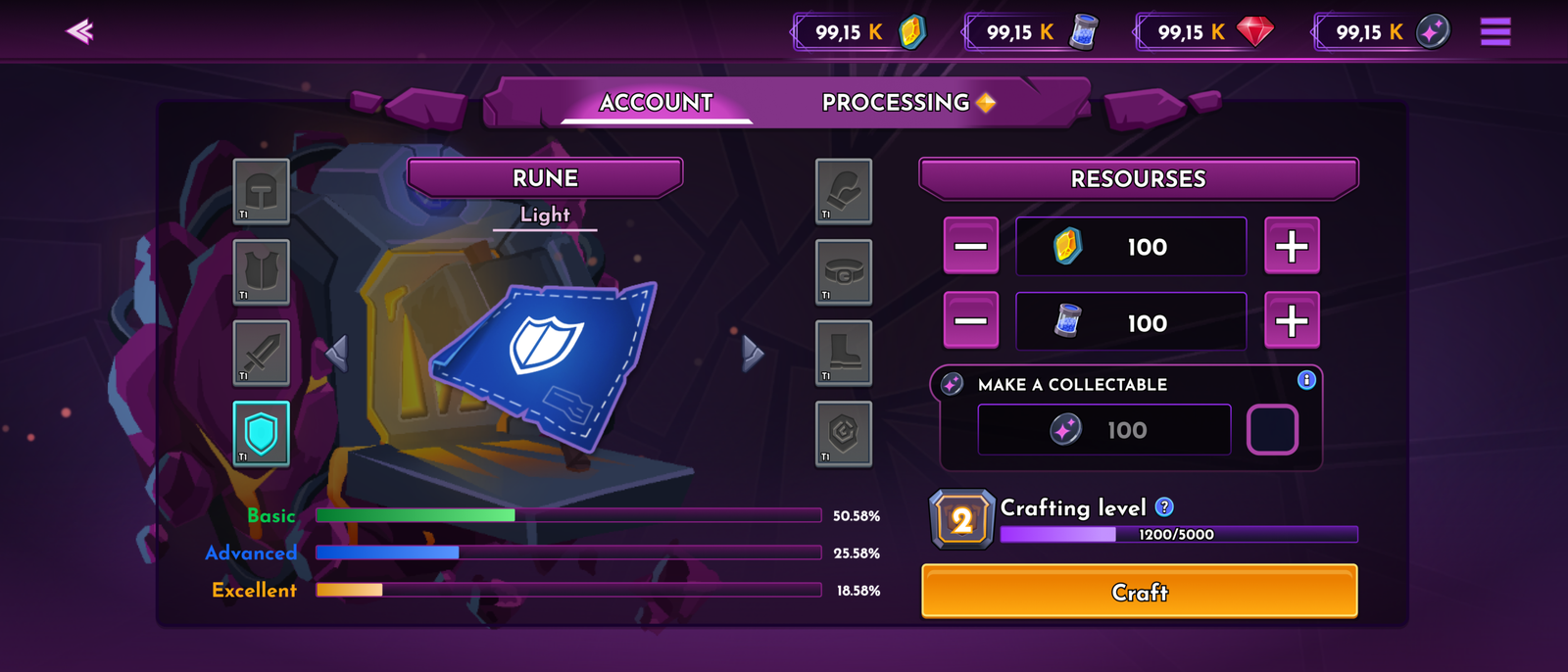
Non-Collectable Item crafting
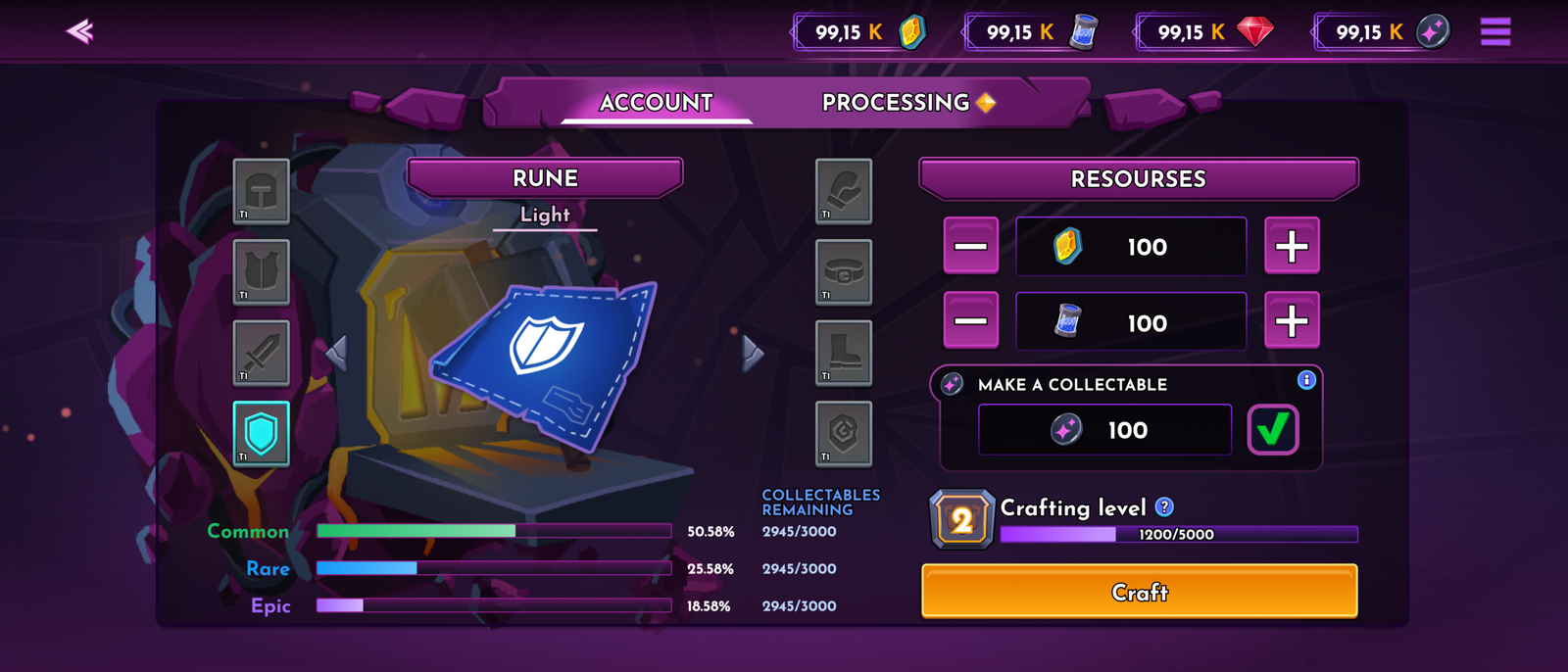
Collectable Item Crafting
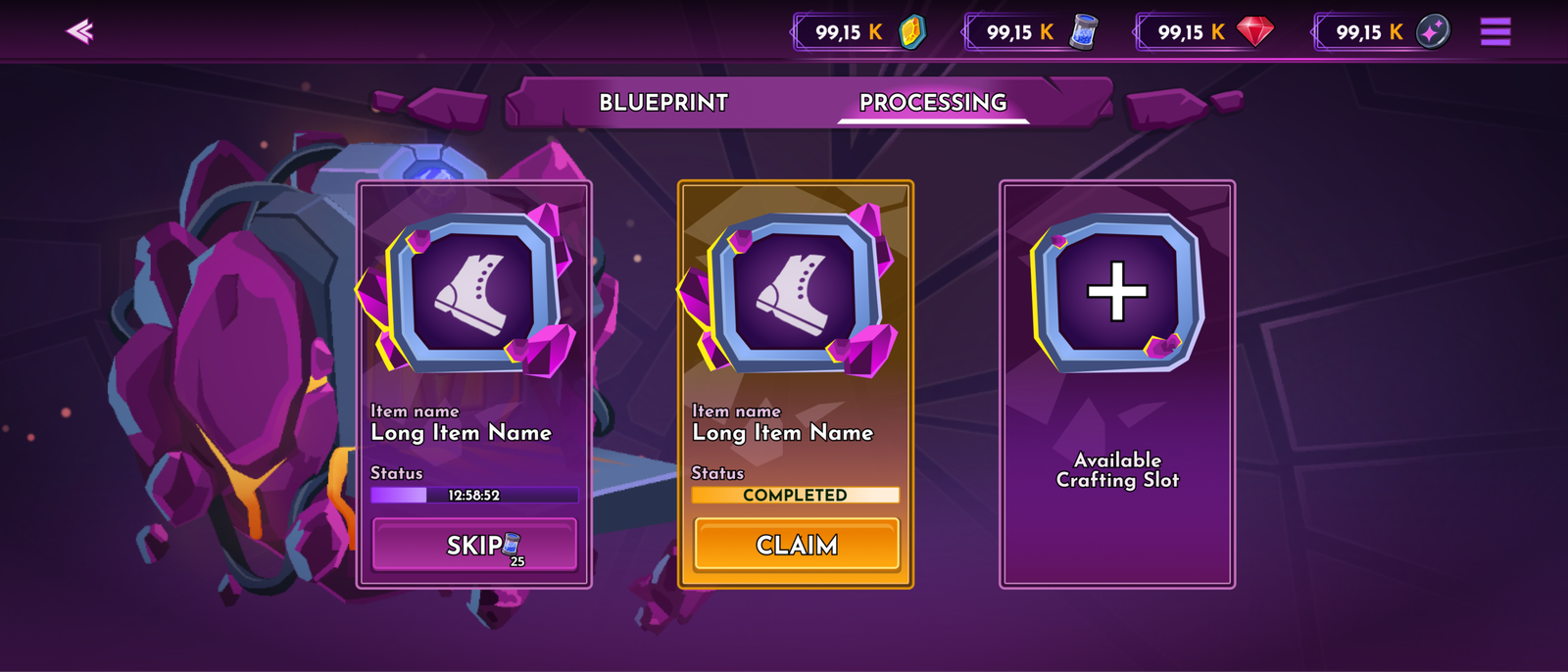
Item Processing
Shop
OVERVIEW
The in-game shop is a place where players can buy additional resources, cases, and collectable items.
THE PROBLEM
Provide players with additional resources and items that are not easily gathered in the game. A source of revenue for the studio.
THE GOAL
Crate a easily accessible in-game shop that would cater to players’ needs.
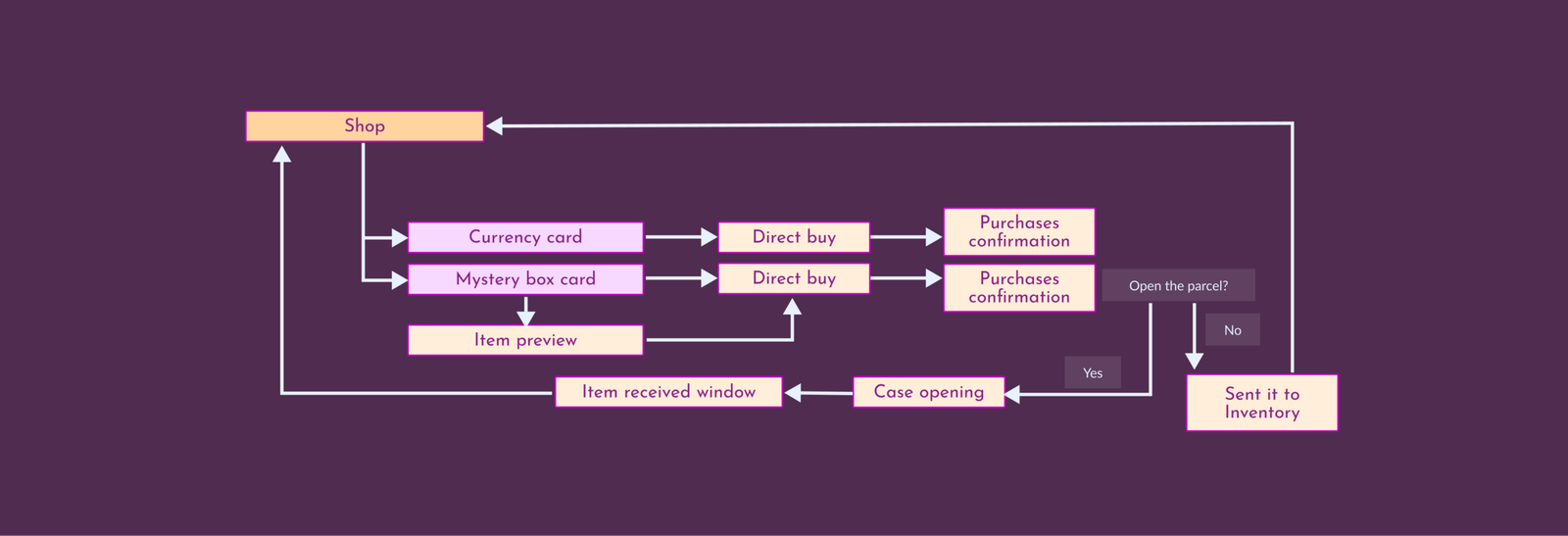
Designs
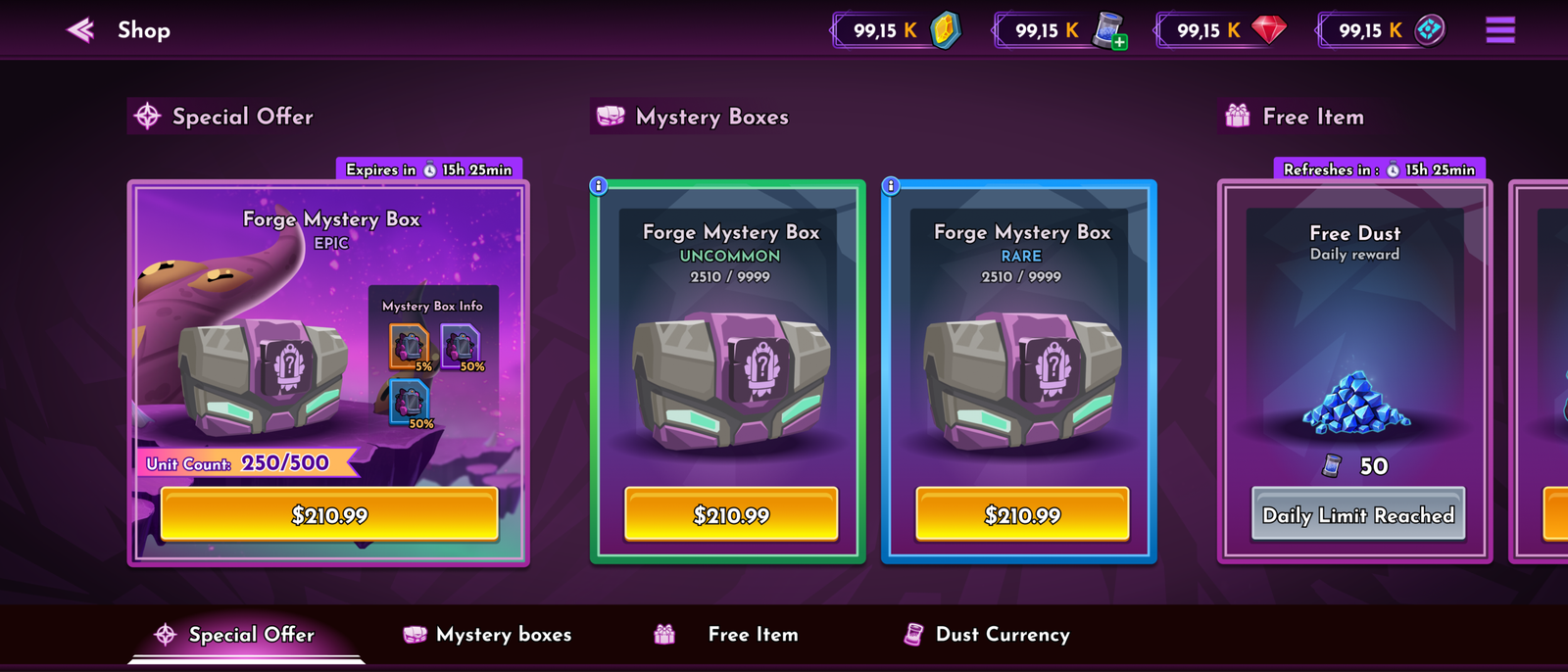
In-game Shop
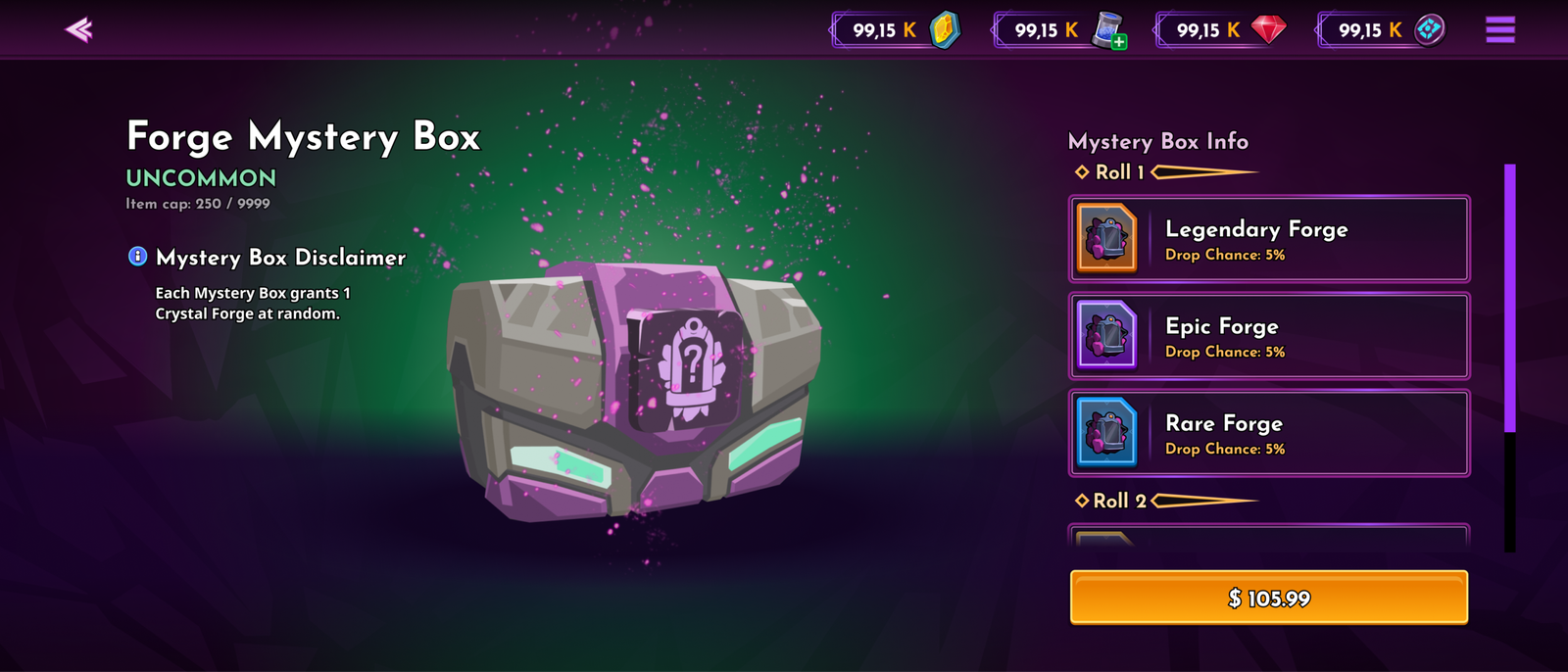
Case Content Preview
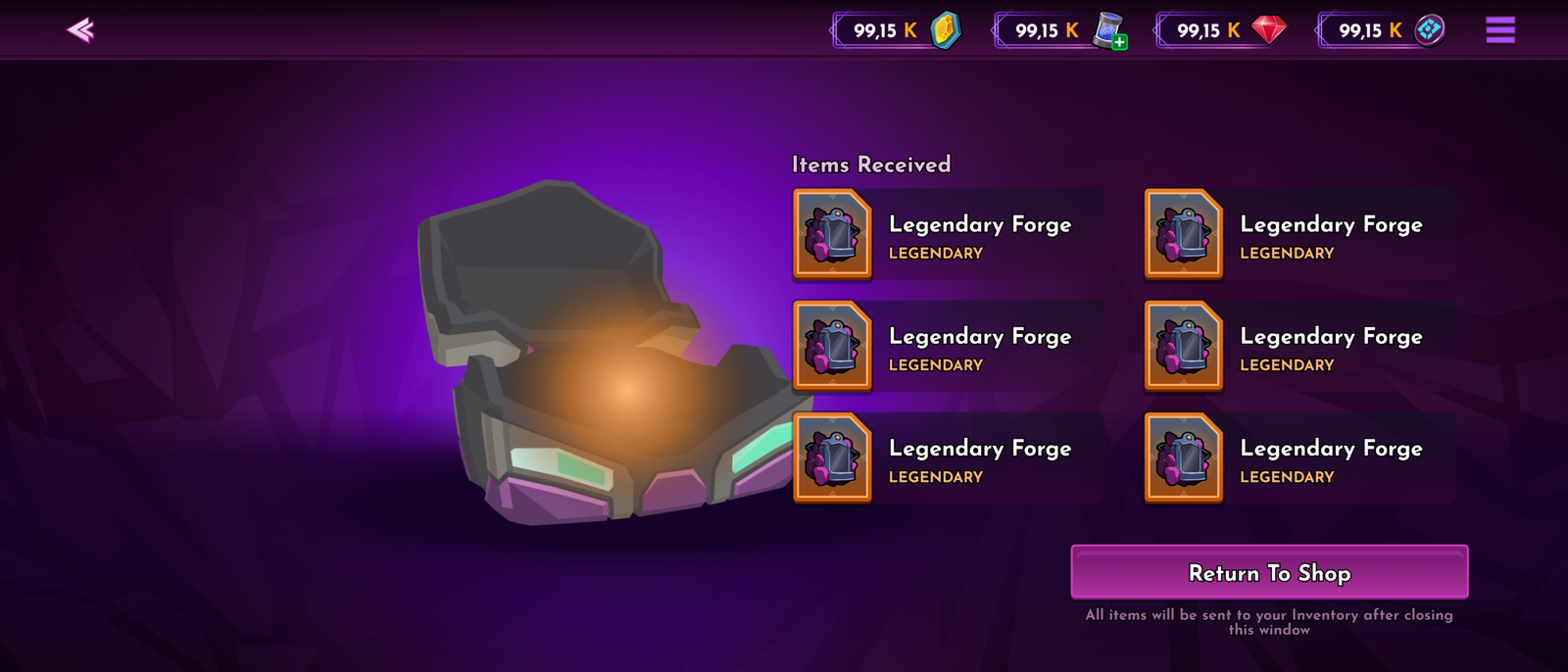
Case Content
Hero and Lore
OVERVIEW
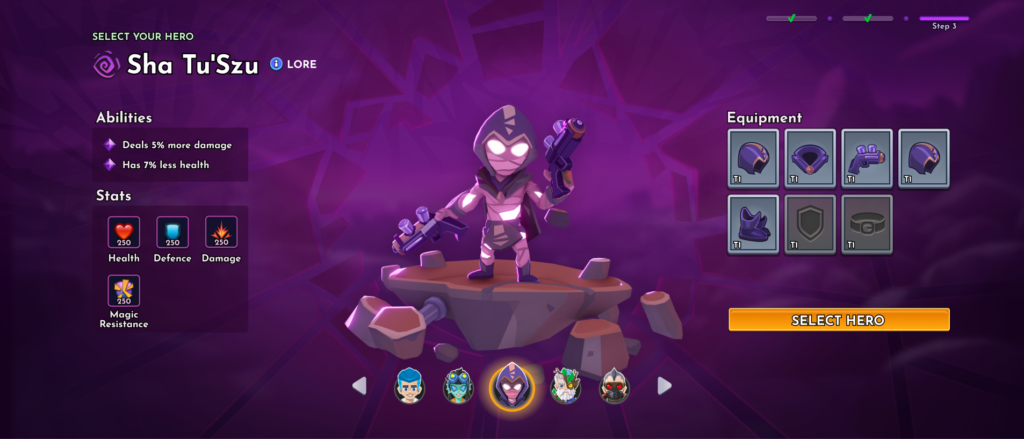
There are several heroes in the game, each with different abilities, stories, and perks. The selection window allows you to pick heroes and shows their stats, abilities, and equipment.
THE GOAL
Allow players to pick their hero efficiently and provide all necessary information about the selected hero.
Designs
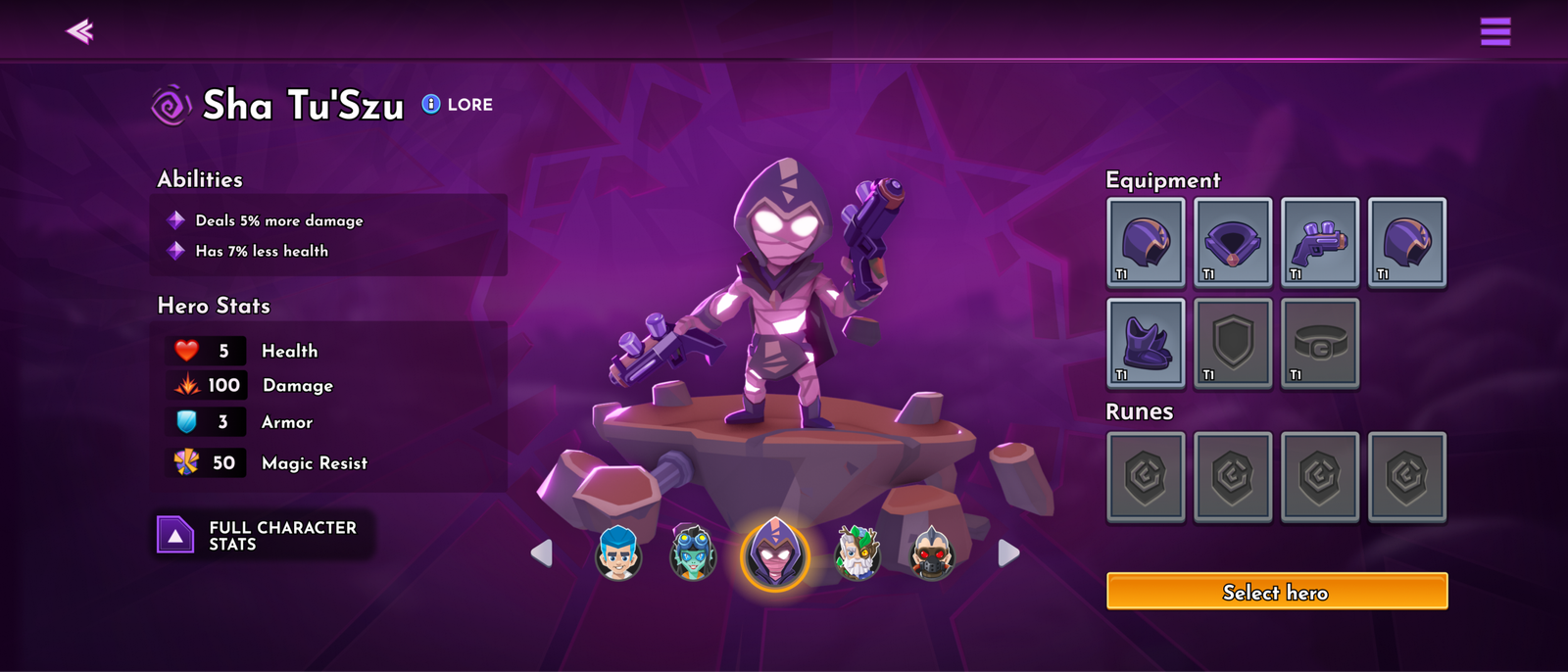
Hero Selection
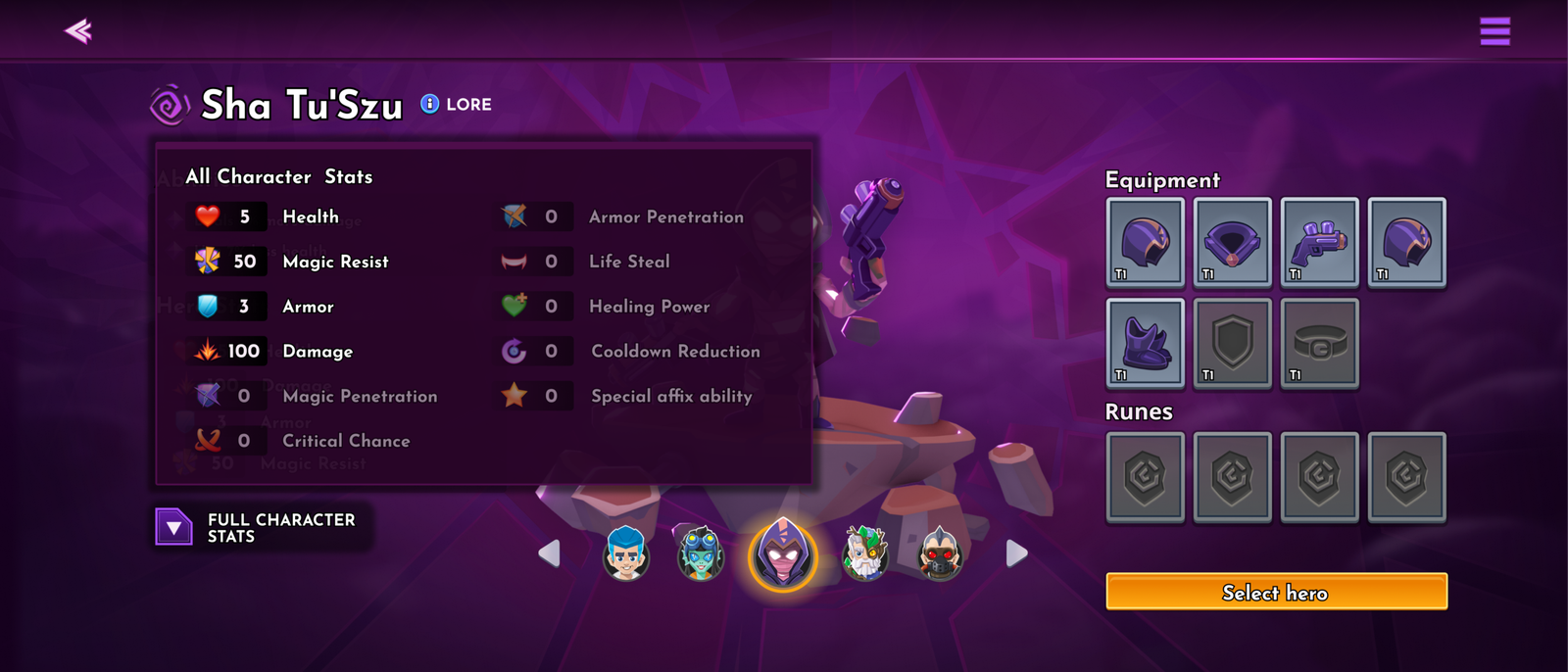
Hero Stats Window
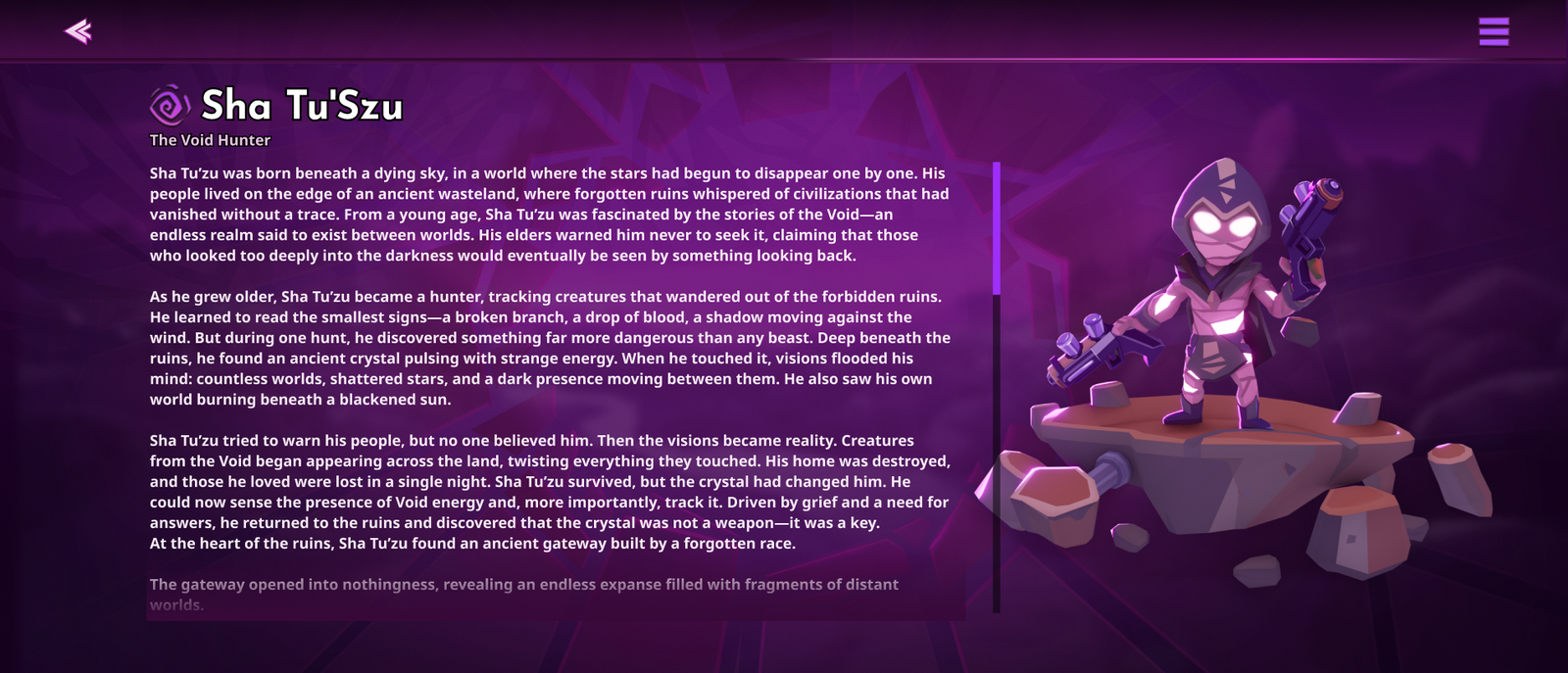
Hero Lore
Raid Boss
OVERVIEW
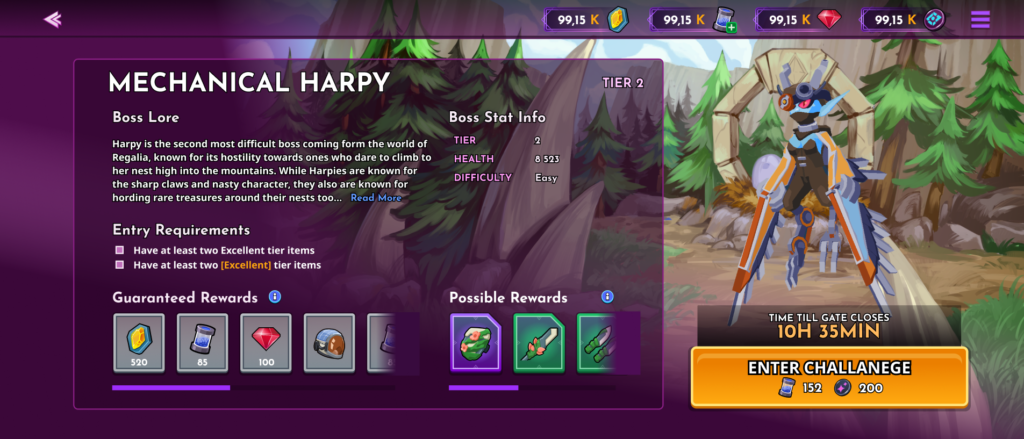
Raid Boss is a special event in the game that provides players with additional resources and items.
THE PROBLEM
Repetitive game content and grinding.
THE GOAL
Add more content to the game and provide players with additional materials, items, and gameplay mechanics.
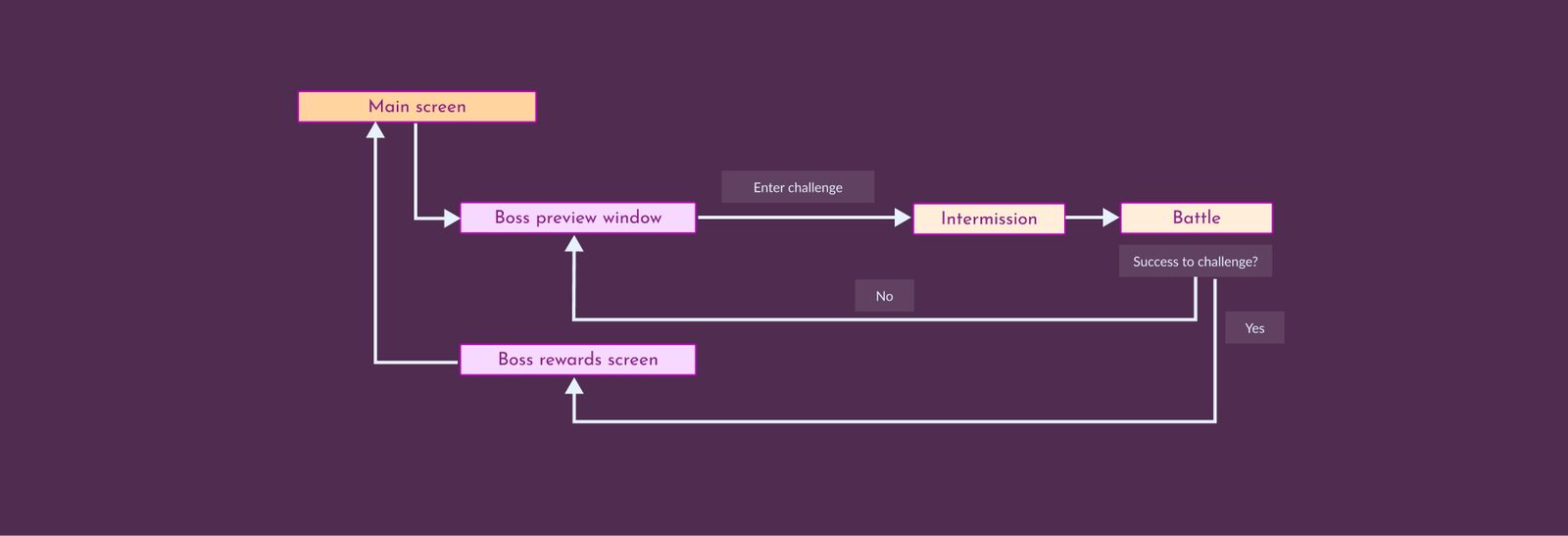
Designs
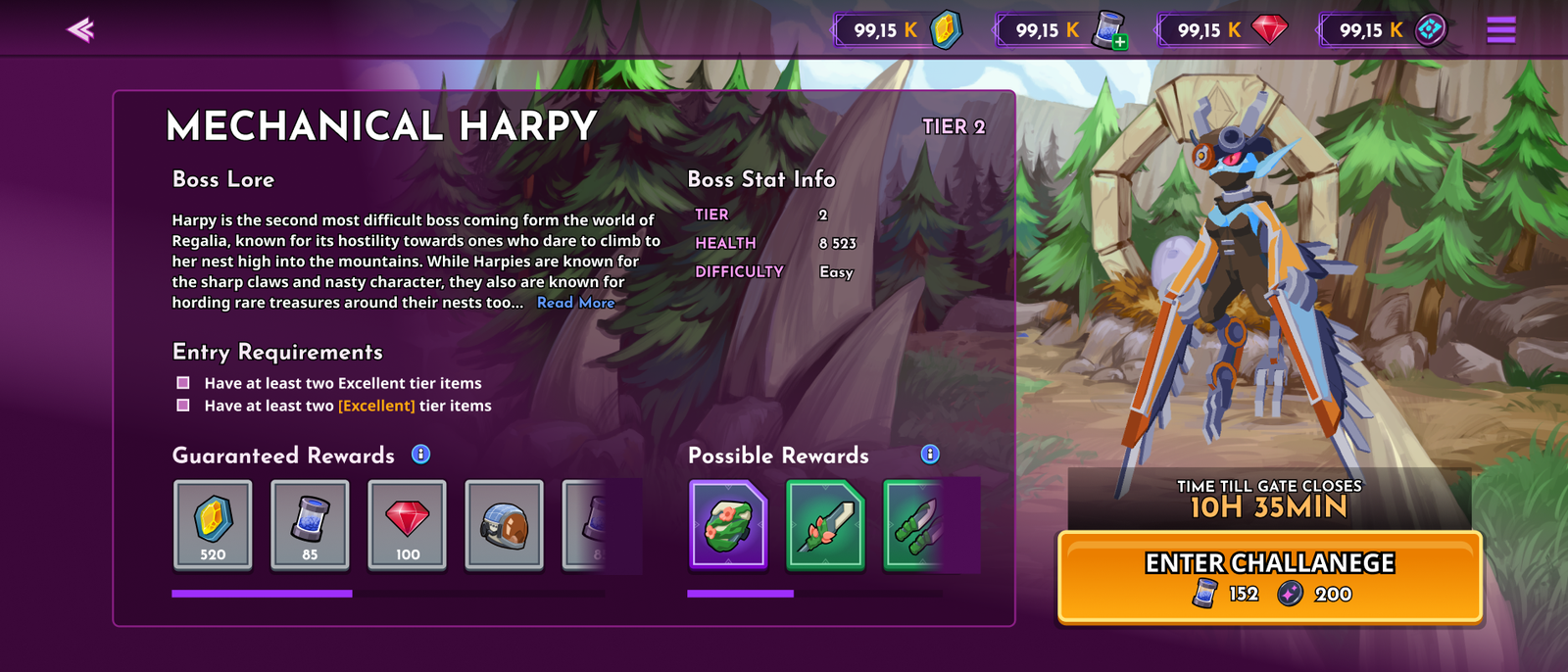
Raid Boss
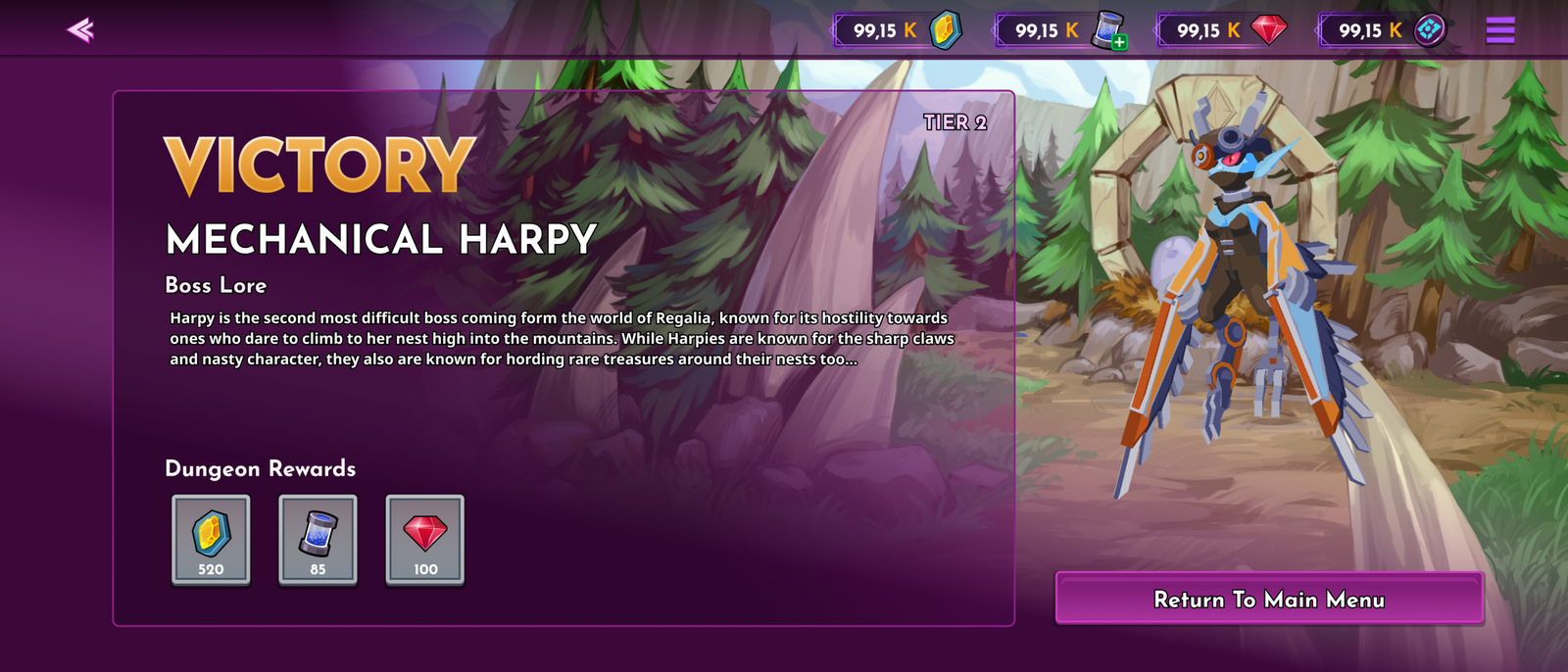
Raid Boss Rewards
Designs
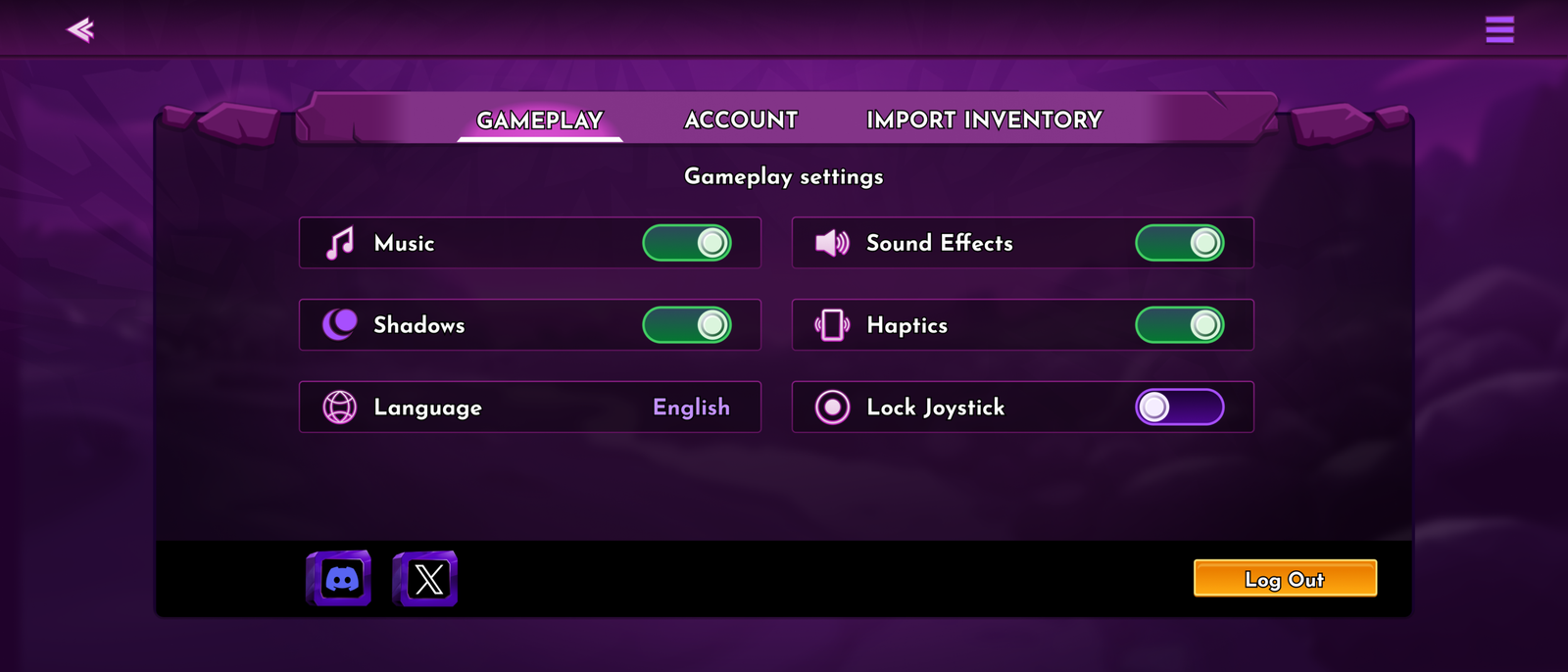
Settings
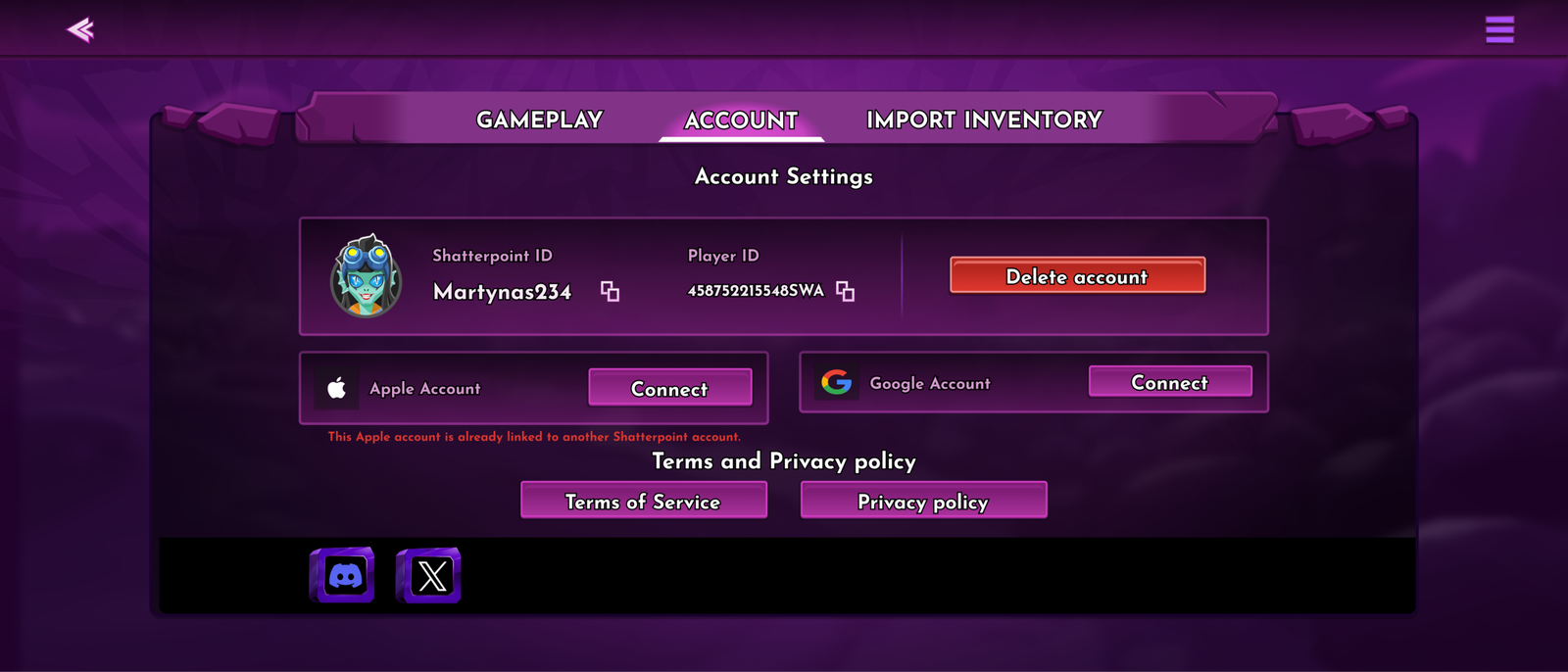
Account
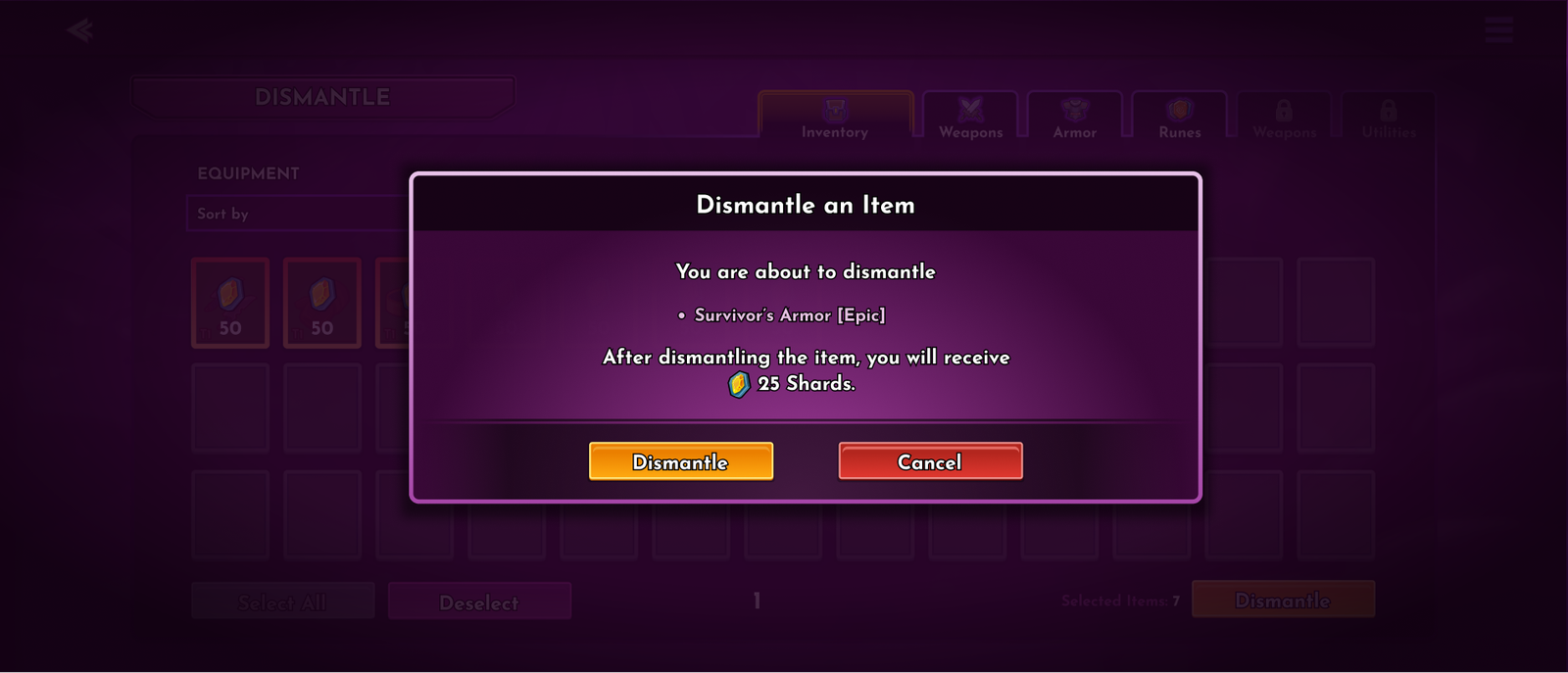
Universal pop-up
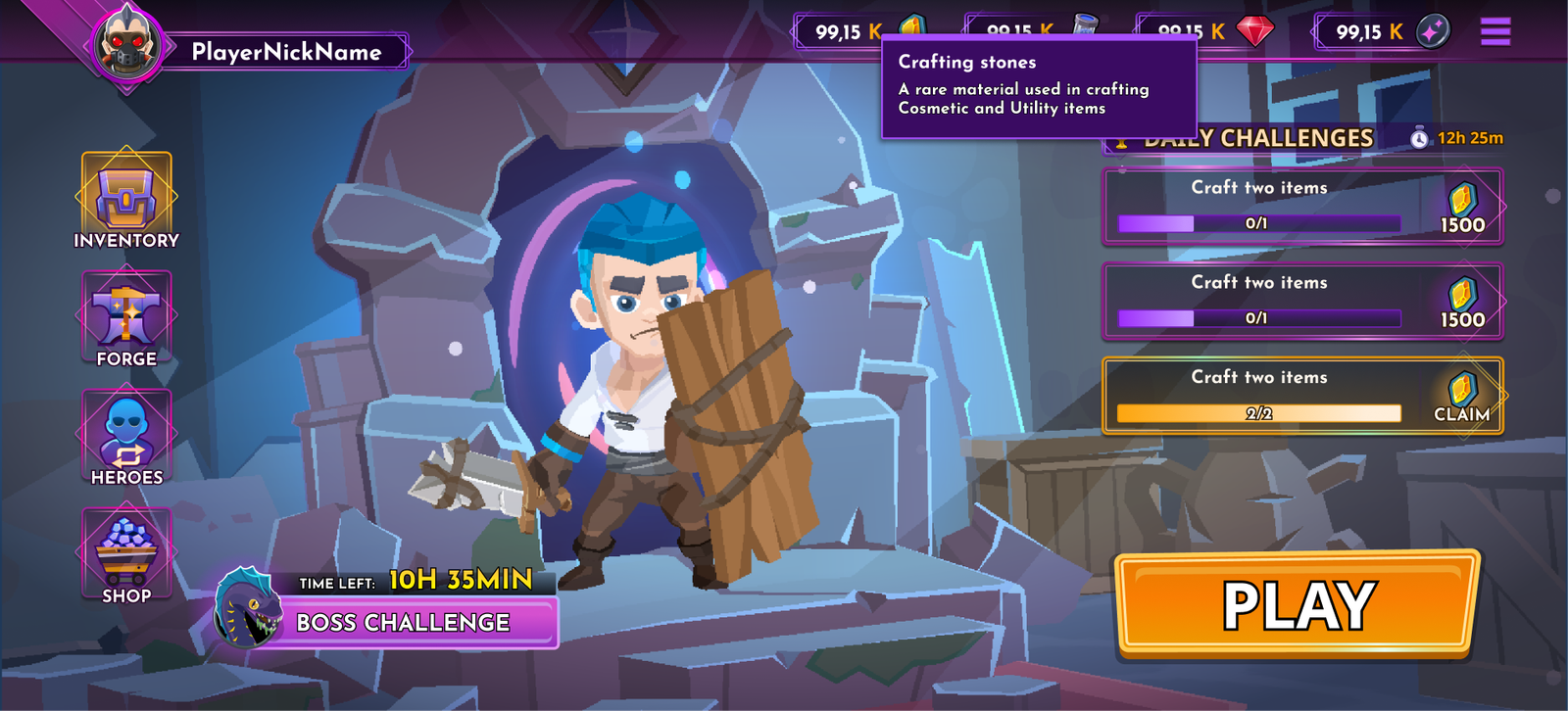
Universal Tooltip
Pre-Battle, Post-Battle and HUD
OVERVIEW
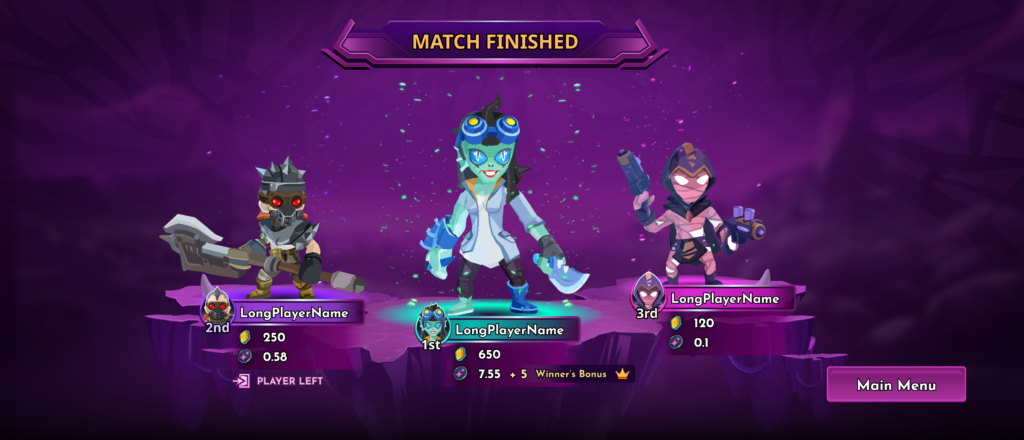
Pre-Battle and Post-Battle are supporting game flows that prepare players before a match and communicate the results afterward.
THE PROBLEM
Lack of clarity about the phase of the game the player is in, and unclear end-game results.
THE GOAL
Prepare players for the battle phase; create a smooth transition from the main game interface to the match. Clearly communicate battle results to the player.
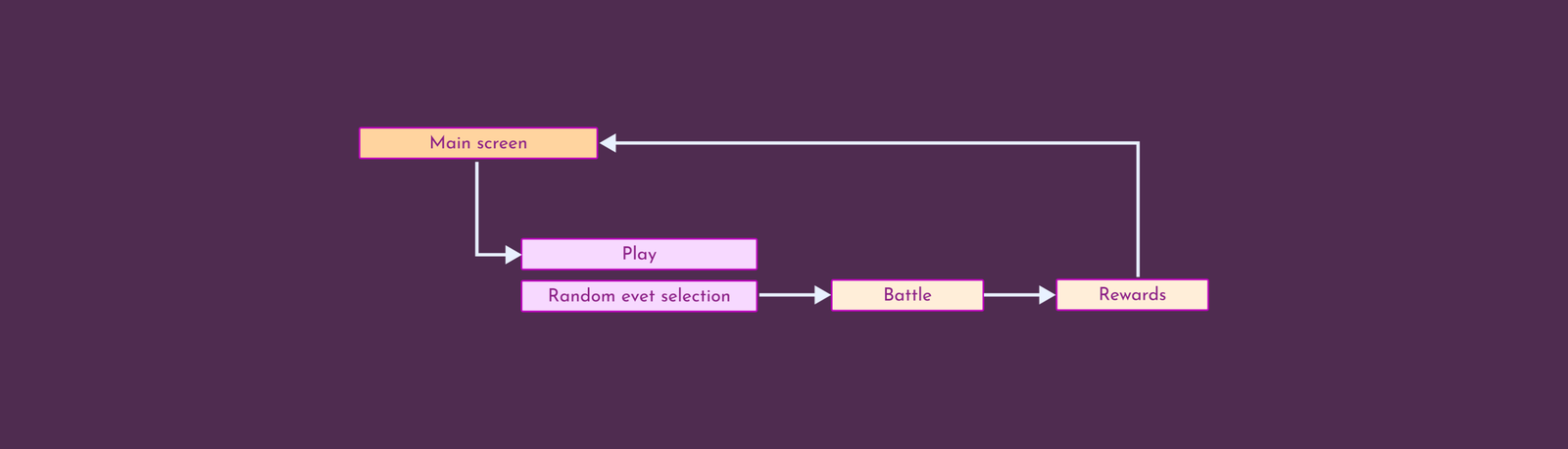
Designs
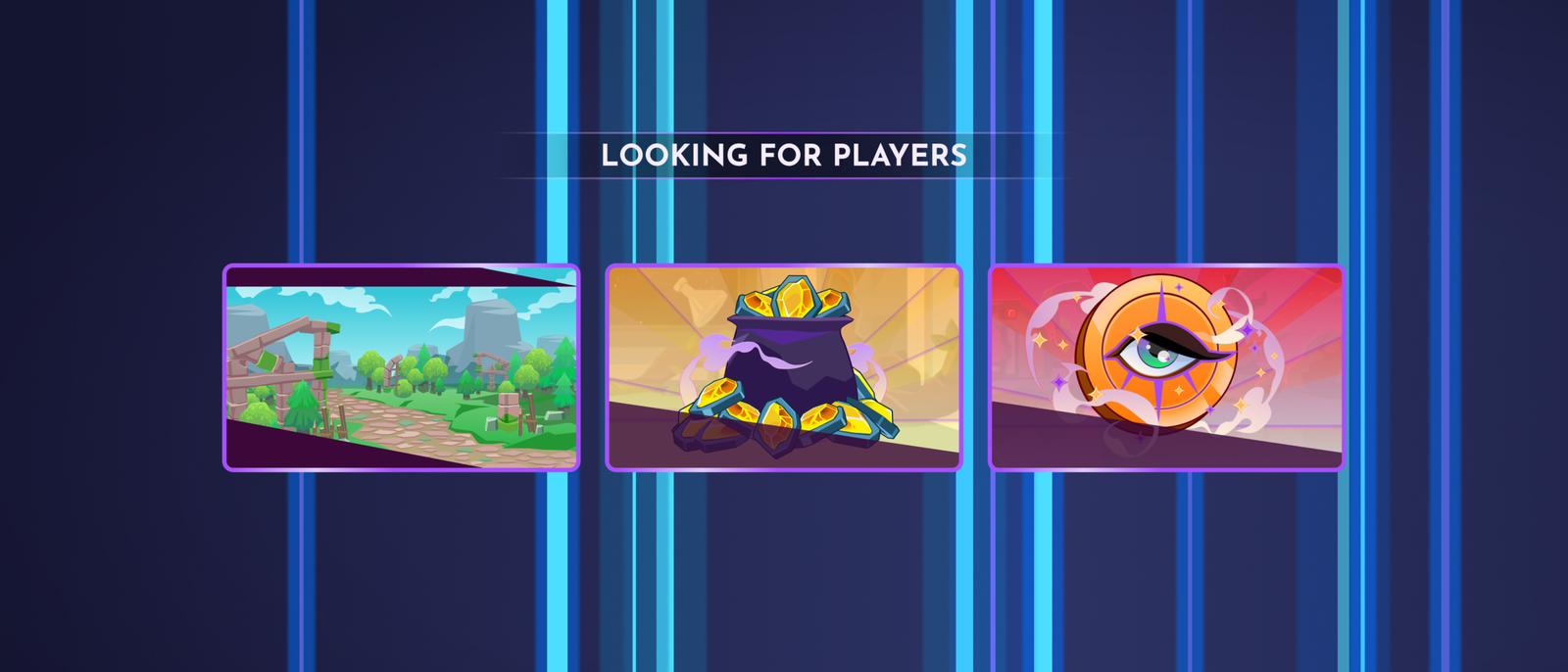
Event And Map Selection
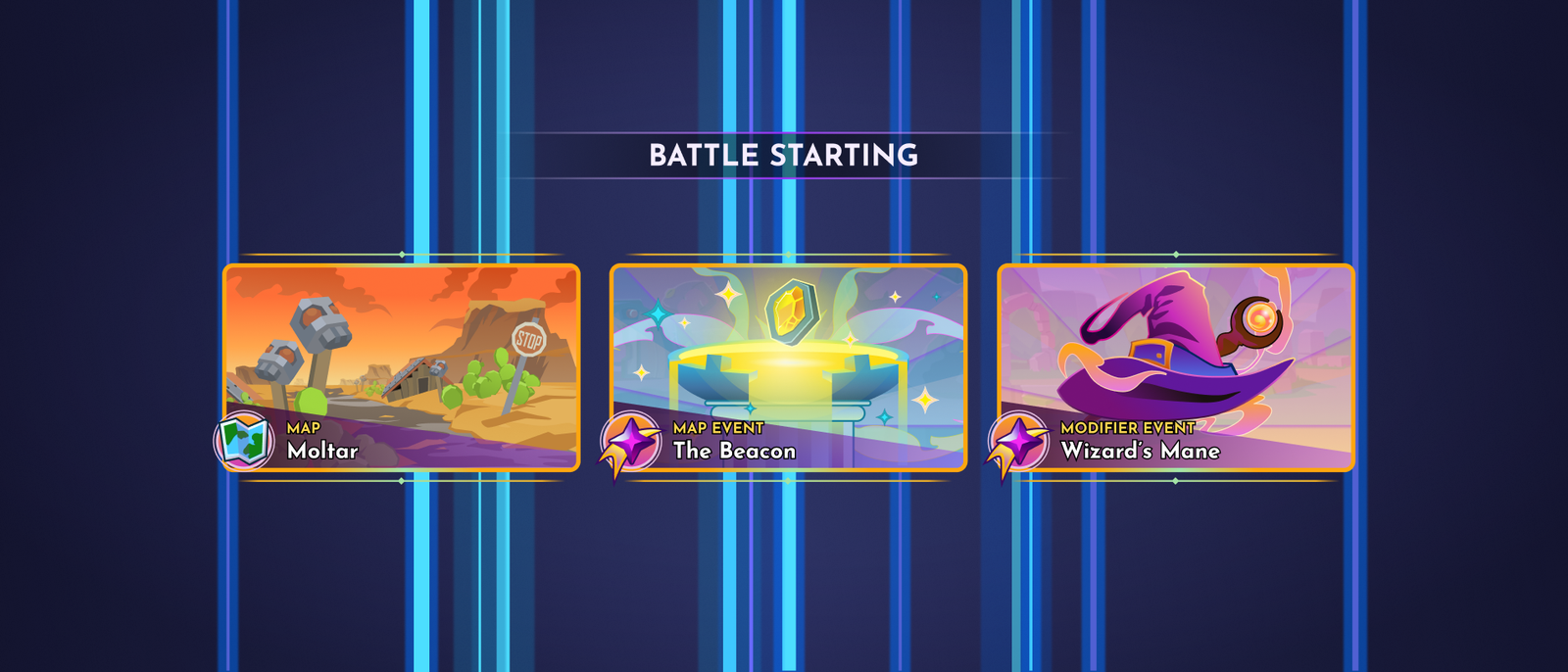
Event and Maps seleced
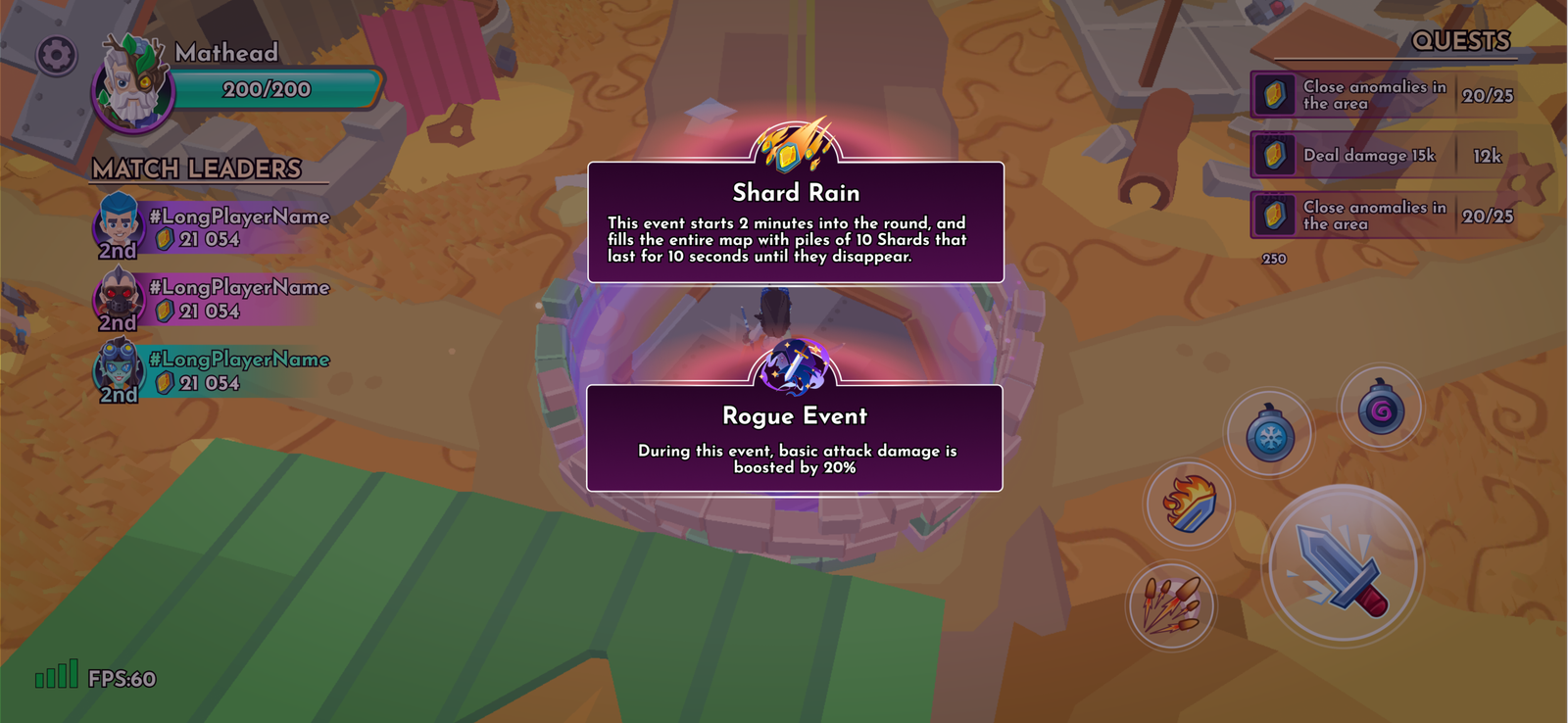
HUD Notification
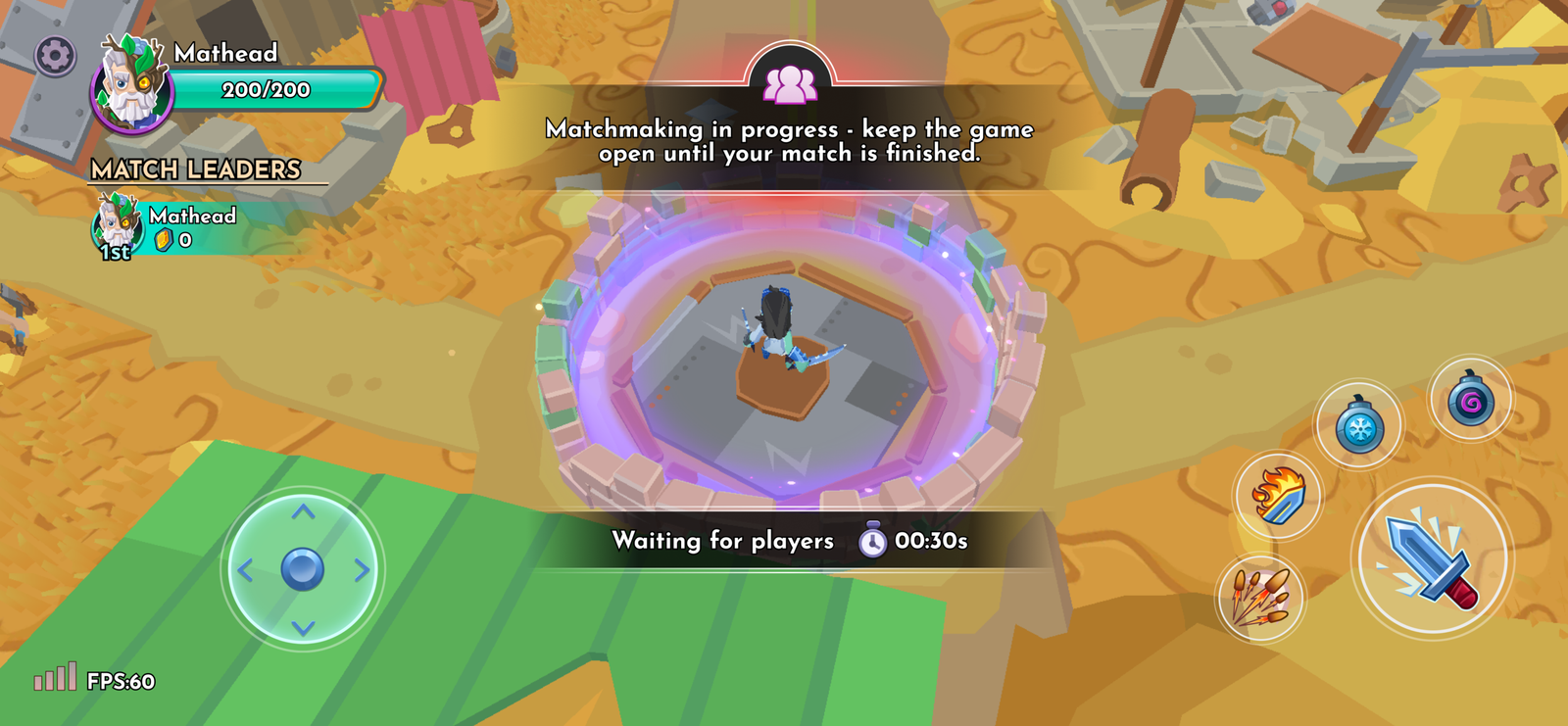
HUD notice
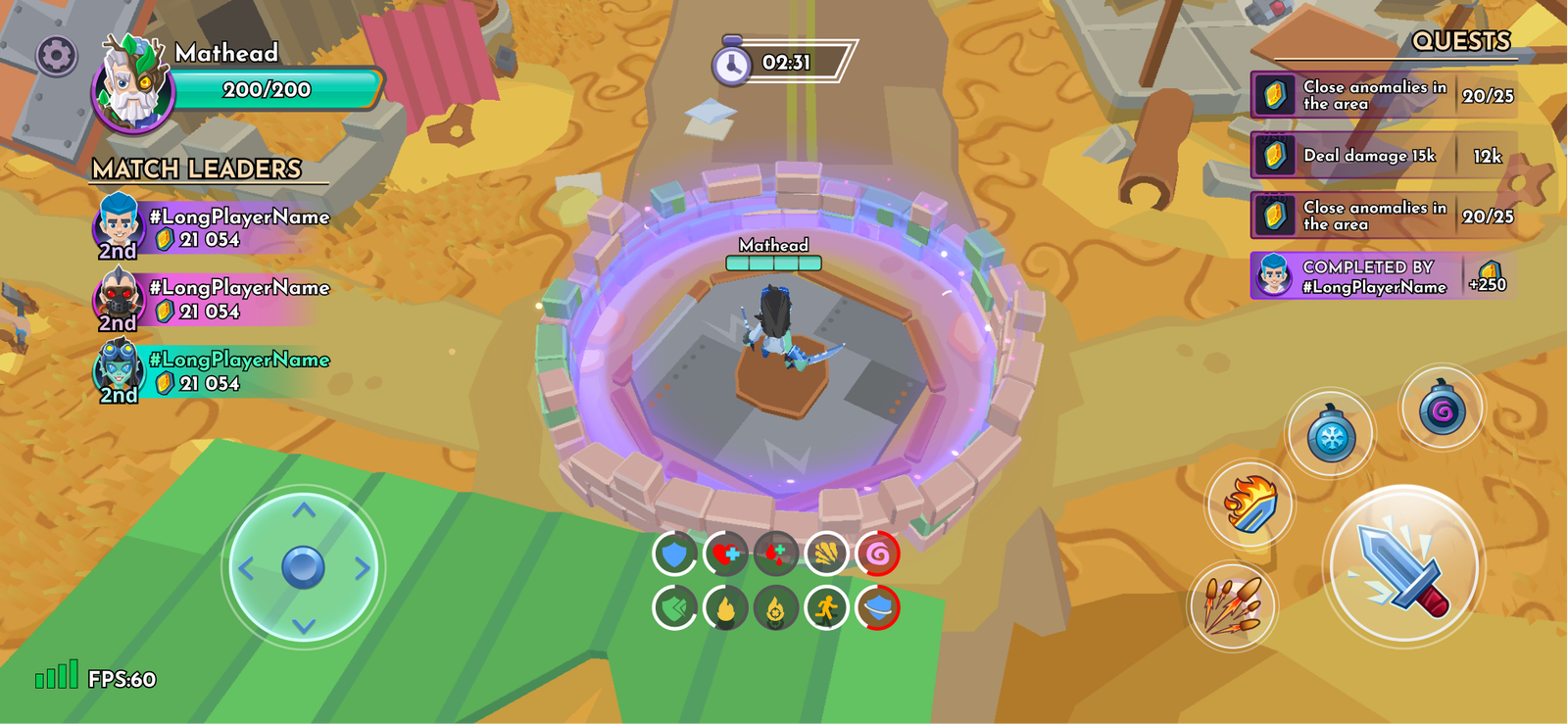
HUD Effects
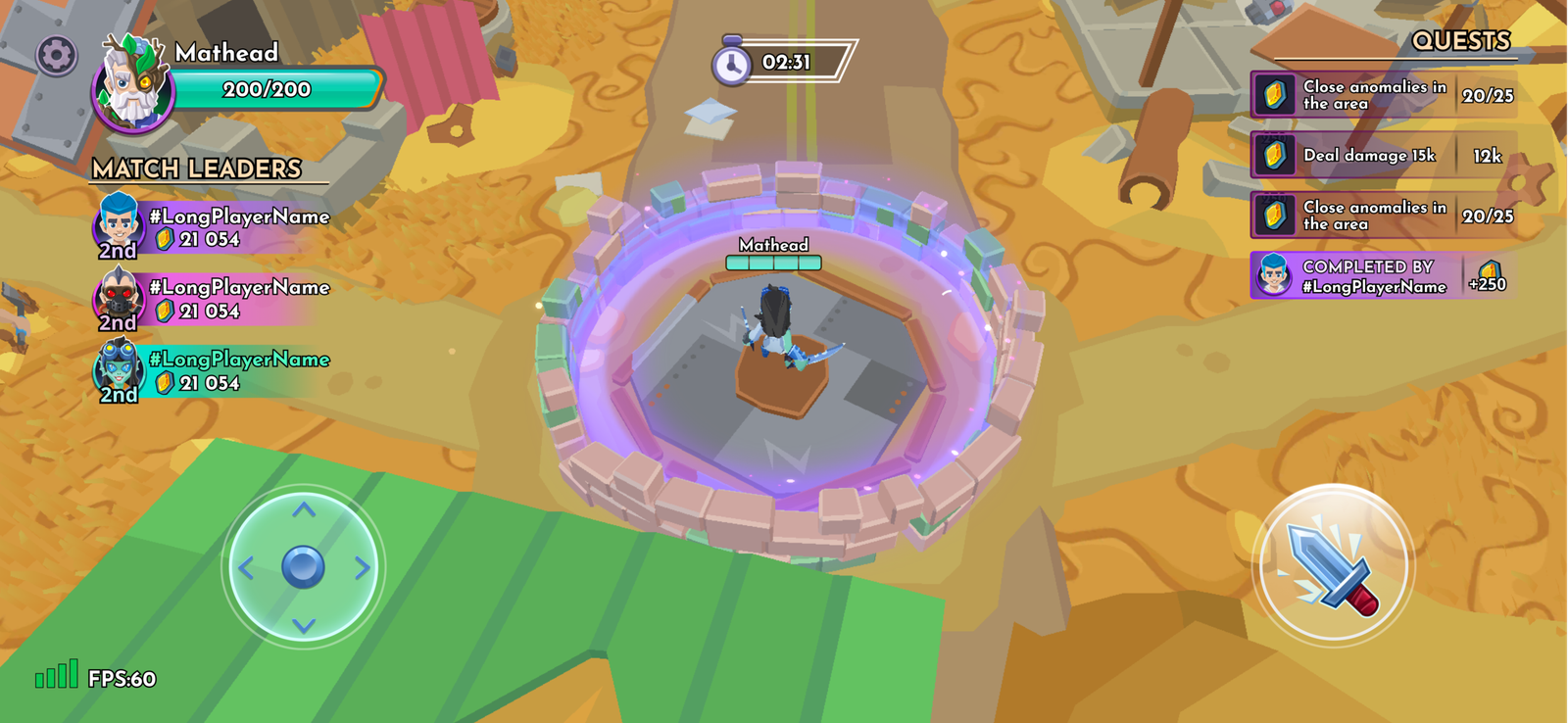
HUD players and Quests
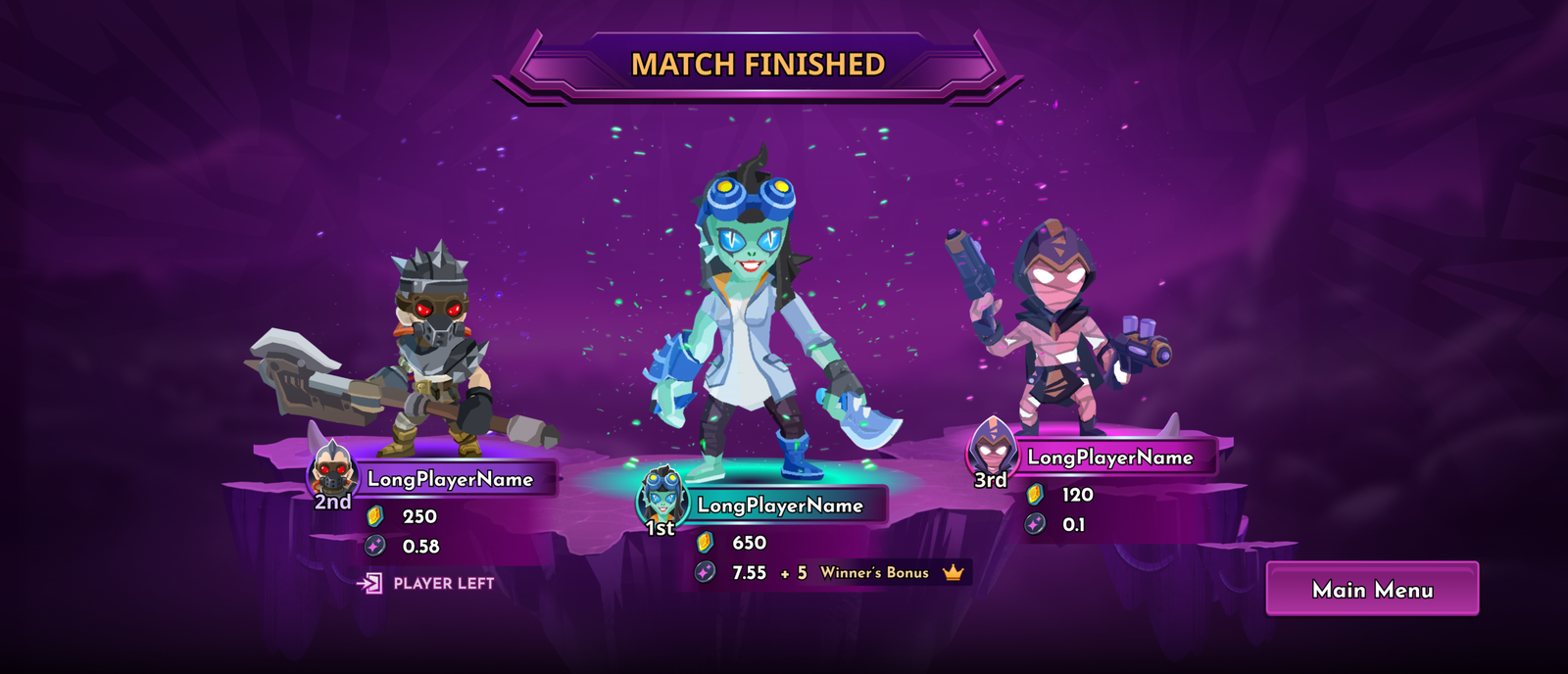
Match Finished Screen
Design features
UI kit and Design system
The UI Kit & Design system provides a consistent set of visual components, patterns, and design rules used across the game. It defines how interfaces look, behave, and communicate information to players. The Shatterpoint game design system and UI kit were created to speed up UI implementation and maintain consistency across all game interfaces.
Shapes and Building Blocks
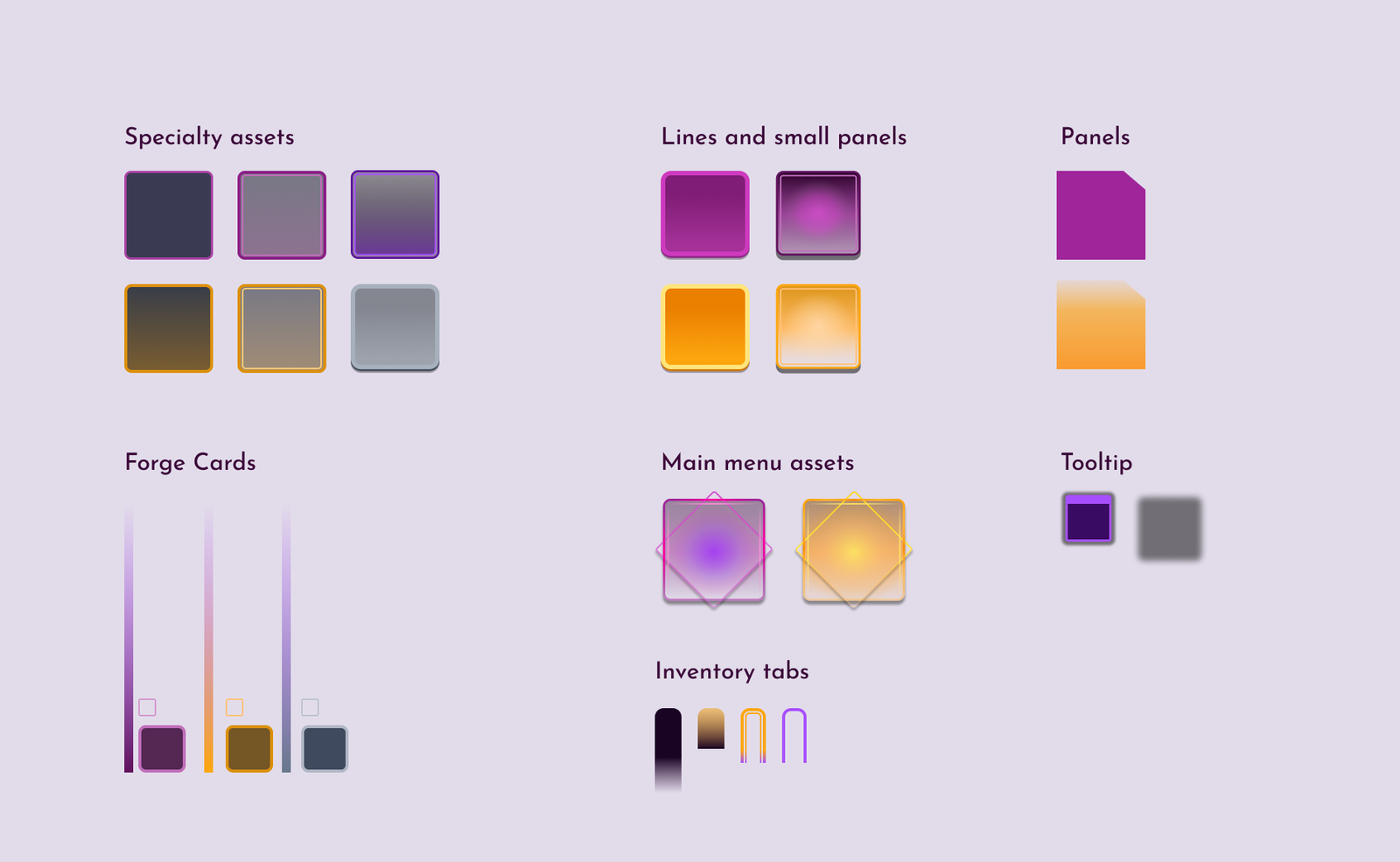
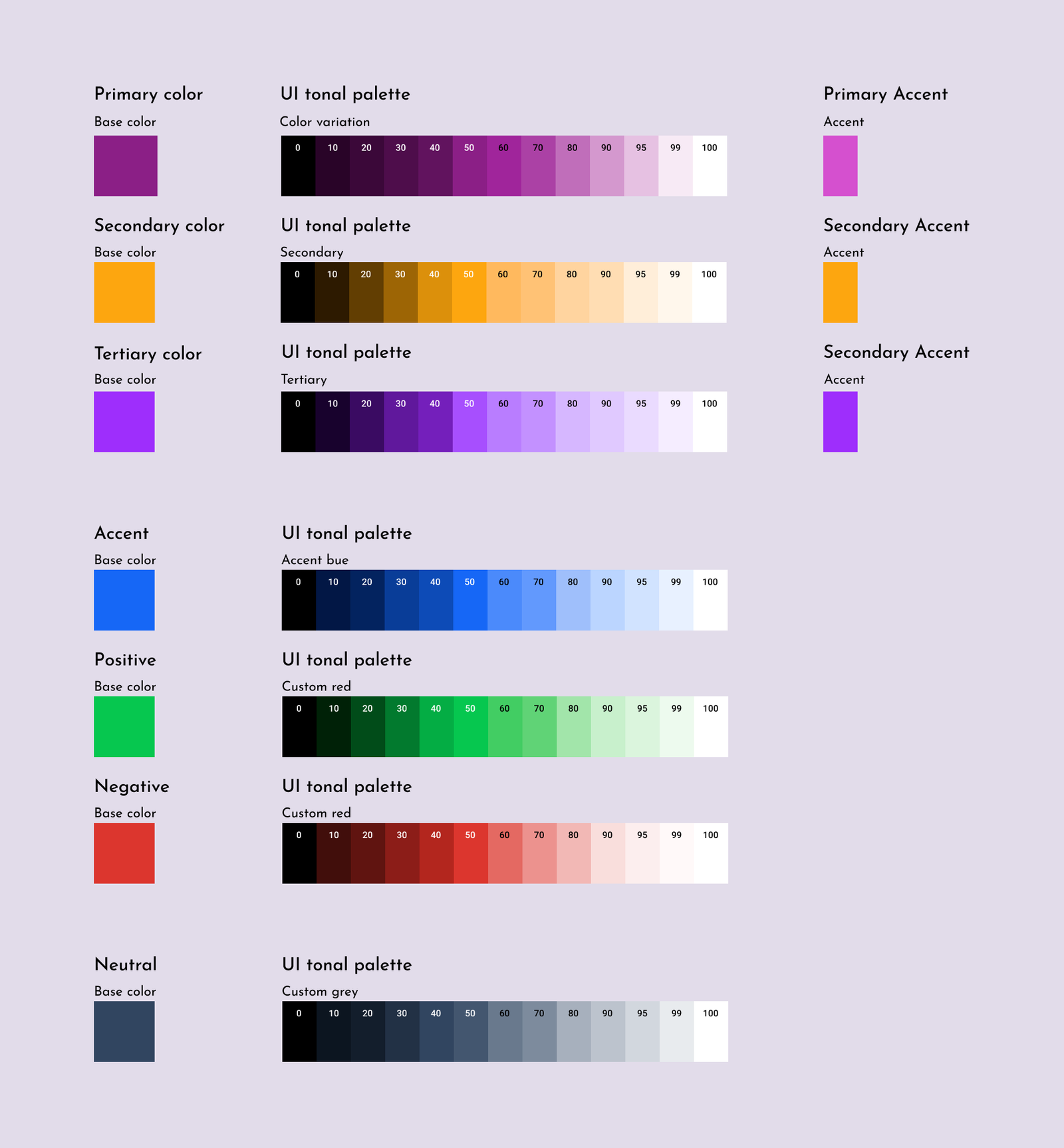
Color palette and color variants
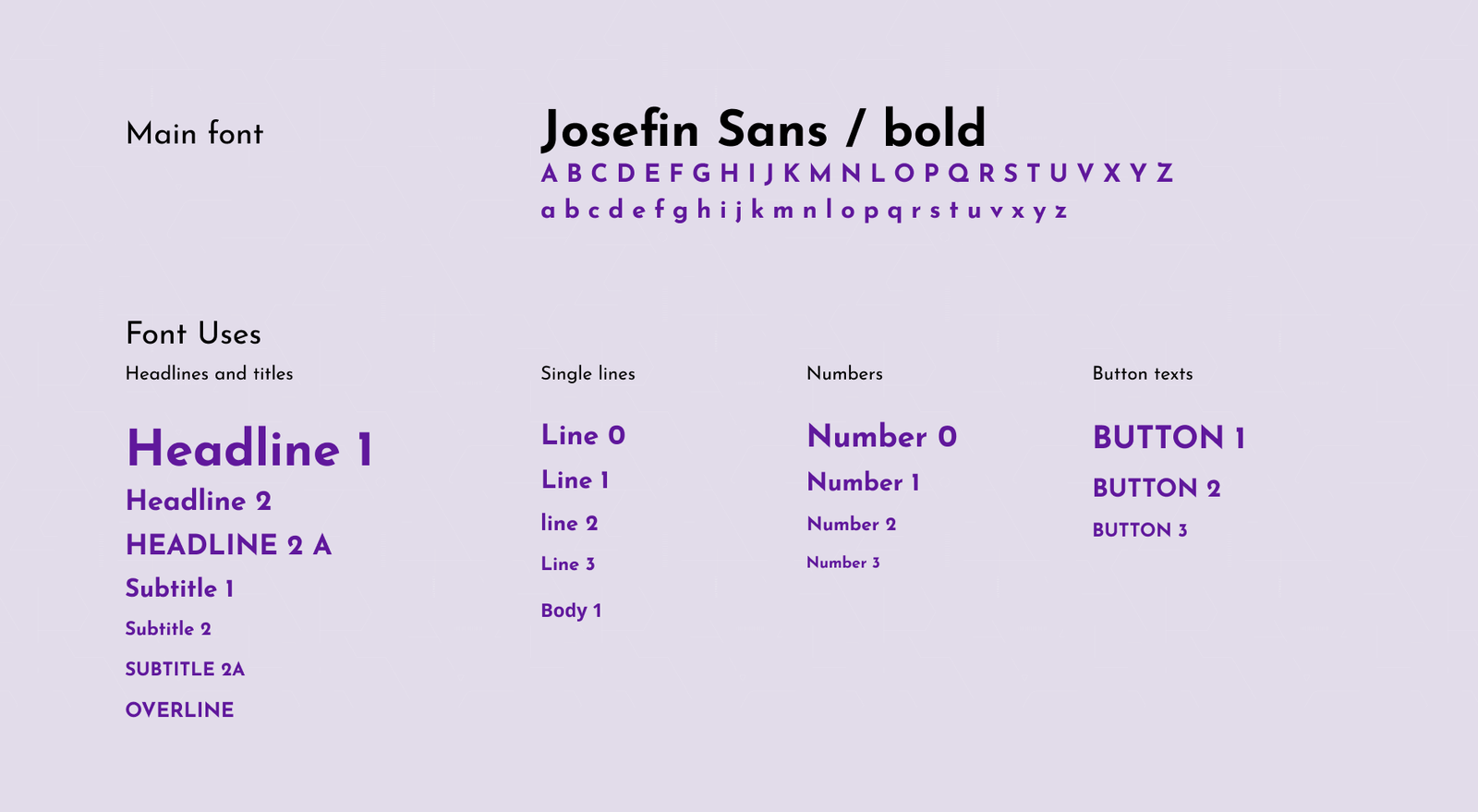
Typography
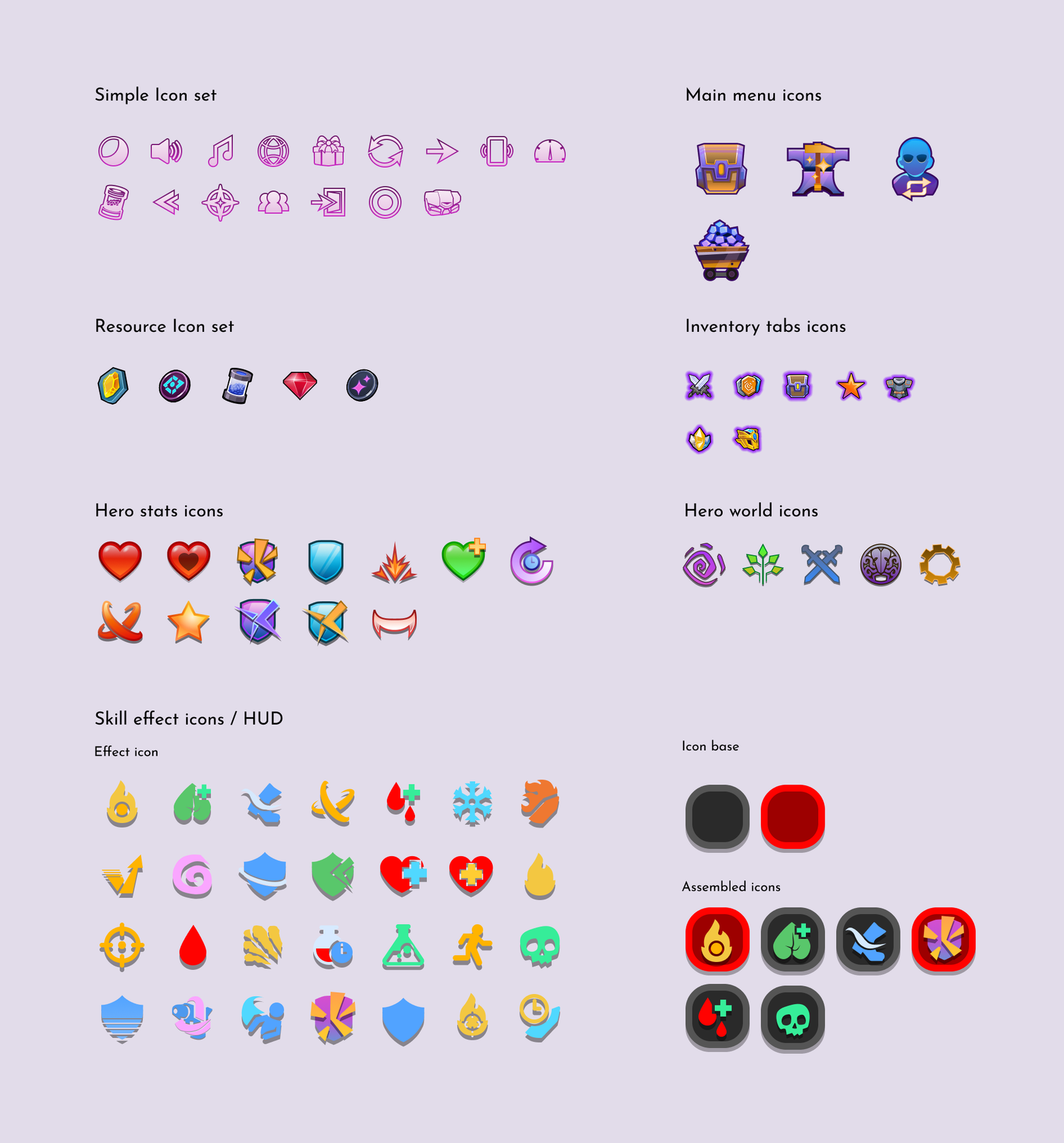
Iconography
07 – SELECTED DESIGNS
08 – IMPACT
Resurrection
Over the course of the project, I helped bring the experience together into a fully playable and engaging game, establishing the core UX and UI across the major gameplay features. I also created clear documentation to support the team and built a reusable UI kit and design system that provided a consistent foundation for future development.
Ready to Launch
By the time I left the project, Shatterpoint had evolved from a collection of incomplete systems into a cohesive, playable experience with its core features intact, documented, and ready for further iteration.
Cohesive Game Experience
I established a consistent visual and interaction language across the game, creating a recognizable identity while making the overall experience feel intuitive, polished, and connected.
09 – END WORD
Shatterpoint was, and always will be, one of those projects where you, as a designer, did a great job despite many unfortunate things and circumstances stacked against you. This game taught me to downsize thinking from great ideas and concepts to small, minimal, and executable changes that make a small but constant impact. I learned what it is like to work in a team of exceptional professionals and be regarded as one.
And while in the end the project was canceled and the team disbanded, this game will always hold a special place in my heart as a beloved „Zombie”
10 – WHAT IS NEXT?